

How can I manually generate an improvement?
Creating a manual improvement in LearnWise allows administrators to track, enhance, and refine knowledge. This process ensures that the AI assistant continues to provide accurate and helpful information. The following steps will guide you through manually creating an improvement task from user conversations in LearnWise.
1 min readUpdated
Step-by-Step Guide #
-
Access the Inbox:
- Log in to your LearnWise admin panel.
- Navigate to the Inbox section, where you can view all active user conversations.

-
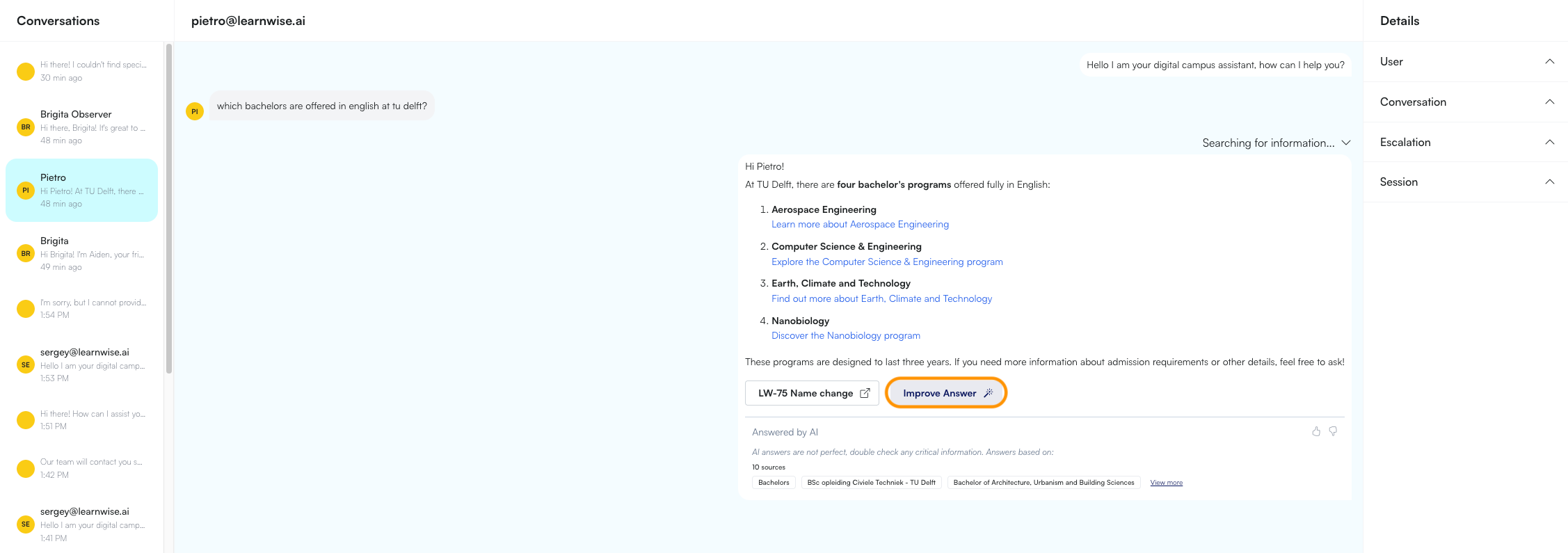
Select a Conversation
- From the inbox, choose a conversation that requires improvement.
- Within the conversation, you’ll see an Improve Answer option.
-
Create or Link an Improvement Task:
- Click on Improve Answer:
- Create New Improvement: Use this option if the flagged question or issue is unique.
- Click on Improve Answer:
- Note: it is also possible to link to an existing improvement instead of creating a new one
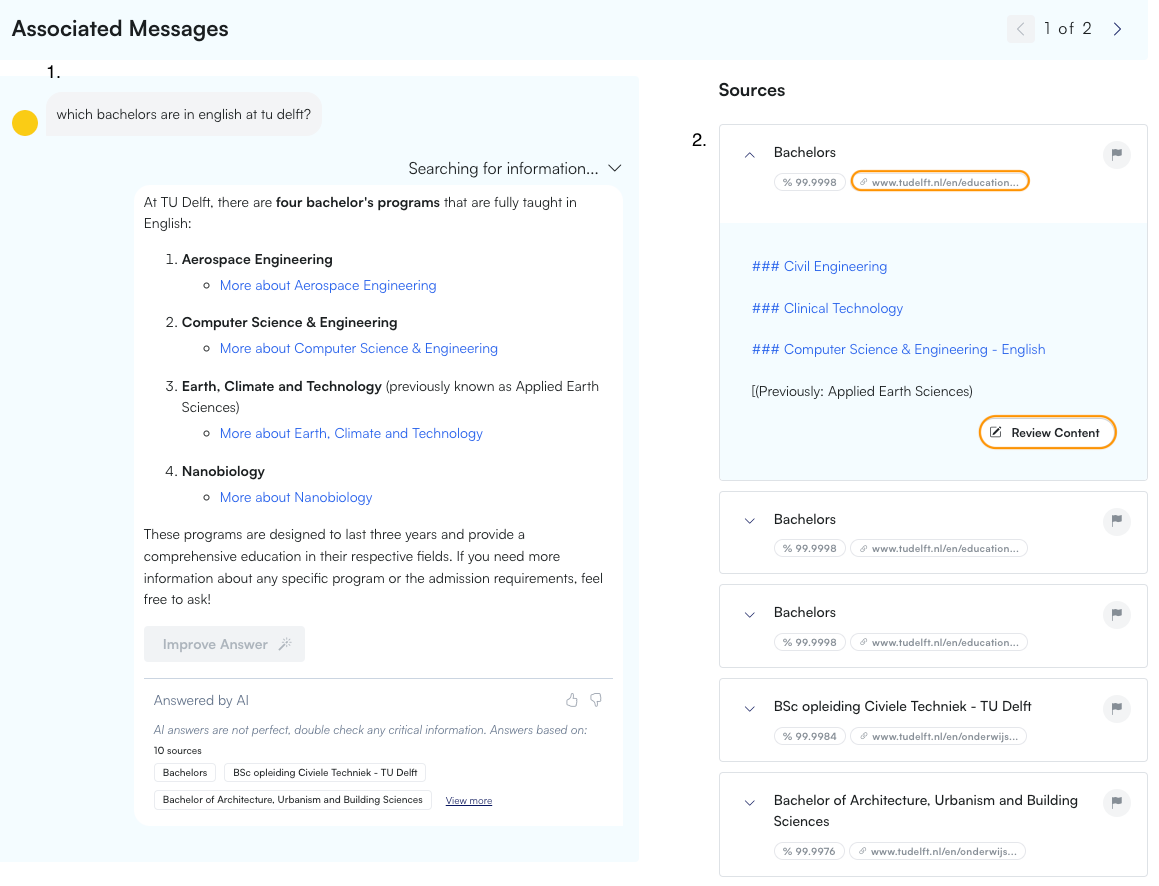
- **Identifying the source for improvement
Associated Message and sources:** 1. The associated messages are listed in the Improvement task to provide context 2. The sources used by the assistant are also listed to help determine where the update should be made. Clicking on review content will redirect you to the knowledge area of the admin panel, alternatively you can visit the source directly from here too.
Once the improvement task has been created, you can manually manage the workflow to ensure the task is handled as efficiently and effectively as possible.
Creating manual improvements in LearnWise is a useful process for continuous enhancement. It provides administrators with the ability to capture, assign, and resolve areas needing improvement effectively, ultimately helping LearnWise deliver the best possible support to users.
Still stuck?
Ask the LearnWise assistant. It answers from these guides.
Related guides
- How are automated improvements generated?Knowledge Management: Improvements
- How can I link/unlink improvements?Knowledge Management: Improvements
- What are improvements?Knowledge Management: Improvements
- What is the workflow to manage an improvement once it has been created?Knowledge Management: Improvements
- How do I attach a file to my LearnWise chat?Knowledge Management: Improvements