

How do I add knowledge content that is hosted on external platforms?
Connect external CMS and service tools like SharePoint, HubSpot, ServiceNow, and Salesforce so LearnWise can automatically sync, update, and manage their content as knowledge sources for your assistant.
3 min readUpdated
On this page
In higher education, crucial information is often spread across multiple platforms, including Content Management Systems (CMS) and cloud storage services. LearnWise makes it easy to centralize and integrate these knowledge sources, providing seamless access to essential institutional content.
LearnWise integrates with many of the major CMSs, service management tools, and cloud platforms used in higher education, simplifying the process of consolidating knowledge sources.
Connecting via OAuth2 or Direct Integration 💡 Don't see your platform listed? LearnWise is always open to exploring new integration possibilities. Contact us at help@learnwise.ai to discuss your specific requirements and we'll work with you to explore what's possible.
To connect your external system to LearnWise, follow one of these methods, click on the links to access guidance on how to connect each system:
- Direct Integration (ServiceNow, Salesforce, TOPdesk, FreshService, Nextcloud)
- Manually set up the connection in these platforms.
- OAuth2 Workflow (HubSpot, Google Drive, OneDrive, Box, Dropbox)
- Use the OAuth2 authentication flow to securely connect your system. This type of integration can be completed from the LearnWise dashboard as outlined below
Step 2: Add the Application to LearnWise #
Once you have successfully connected your external system, complete the following steps:
-
Open the Assistants Tab
- Log in to your LearnWise dashboard at admin.learnwise.ai.
- Navigate to the Assistants tab.
- Click on the Knowledge section in your assistant’s settings.
- Select the Applications tab.
Navigate to the ‘Knowledge’ Step
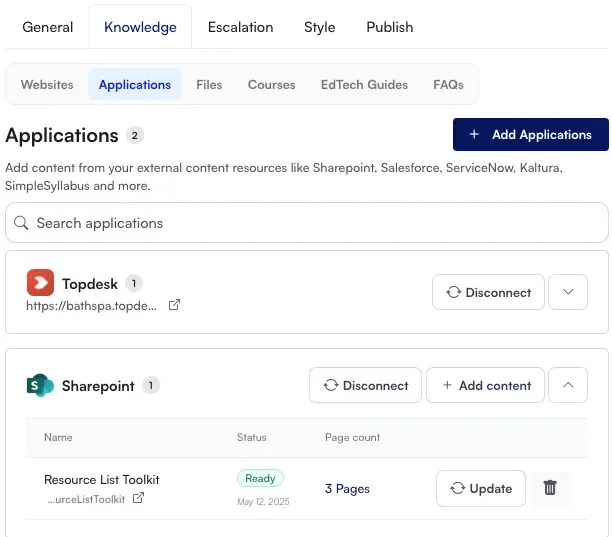
- Select the Applications tab.
-
Click ‘Add Application’
- A list of available applications will appear.
-
Find and Select the Application That Hosts Your Content
- Choose the correct external system from the list.
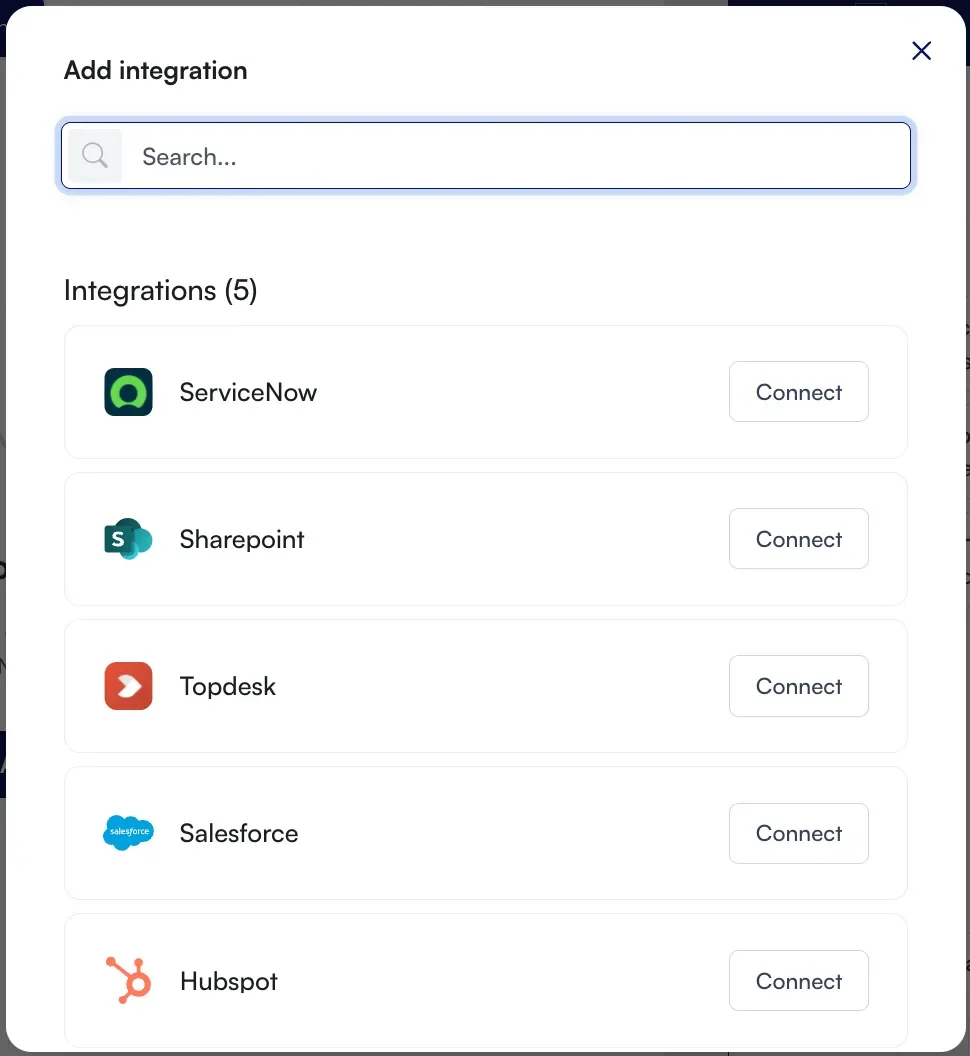
- Choose the correct external system from the list.
Step 3: Configure the Connection #
Depending on the type of integration, follow the respective setup process:
OAuth2 Flow (SharePoint, HubSpot, Google Drive, OneDrive, Box, and Dropbox) #
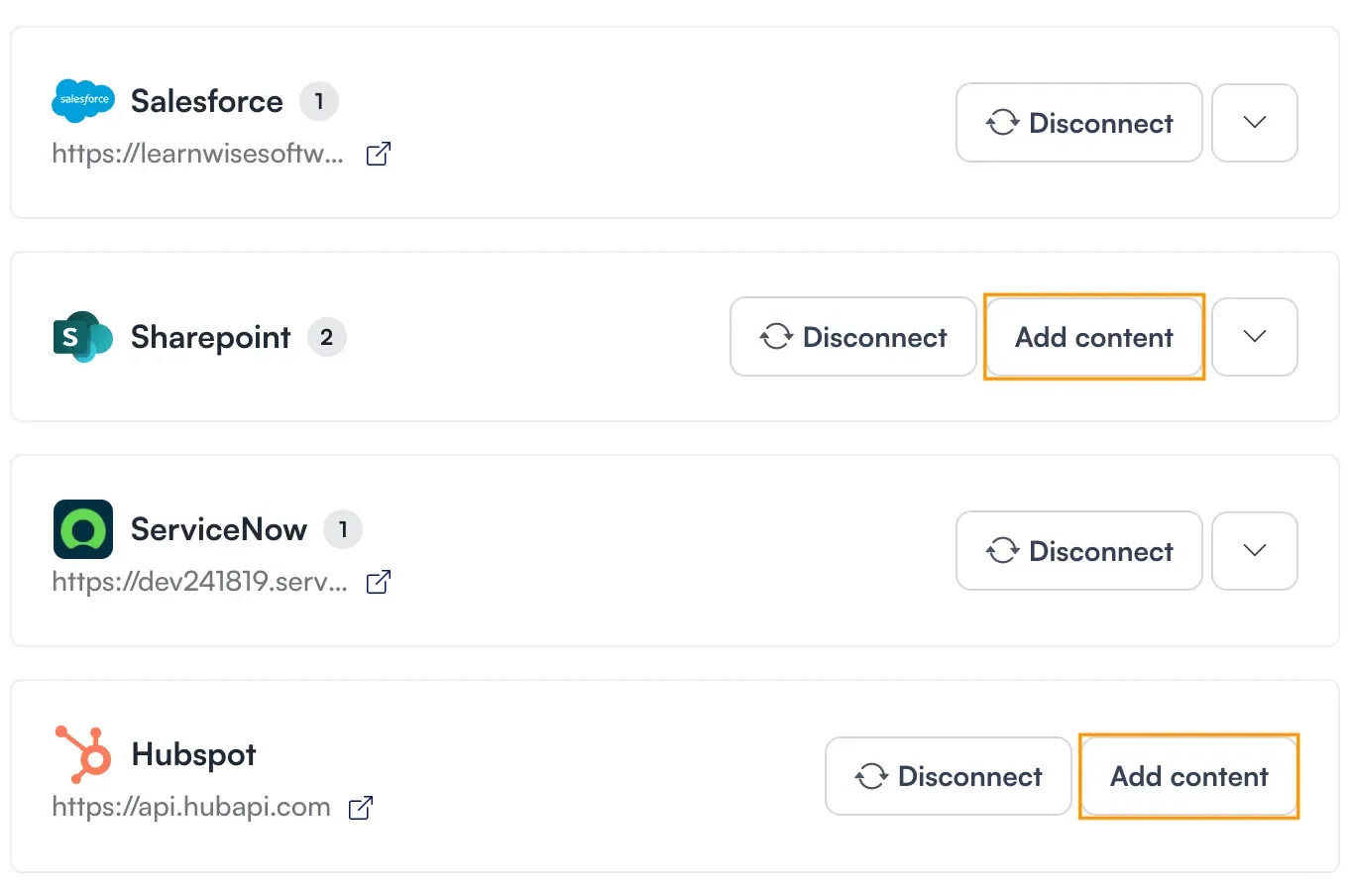
- Once the application is selected, it will automatically connect.
- You will now have access to select content from this system.
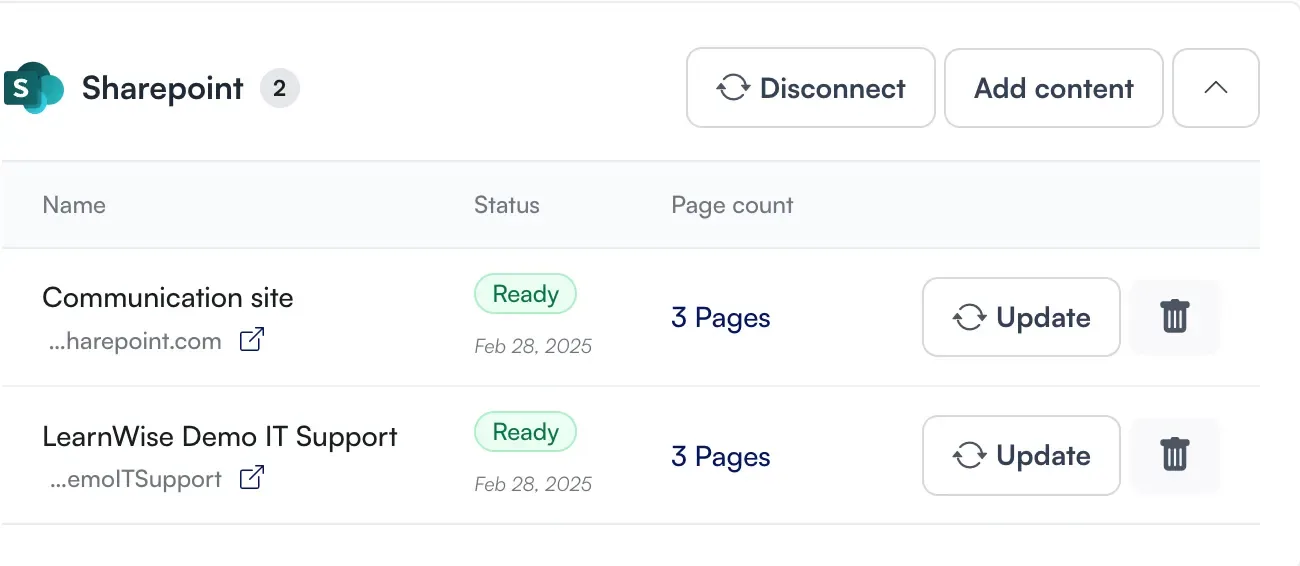
- Click ‘Add Content’ and choose which knowledge sources should be made available in LearnWise.
Manual Connection (ServiceNow, Salesforce, Topdesk, Nextcloud) #
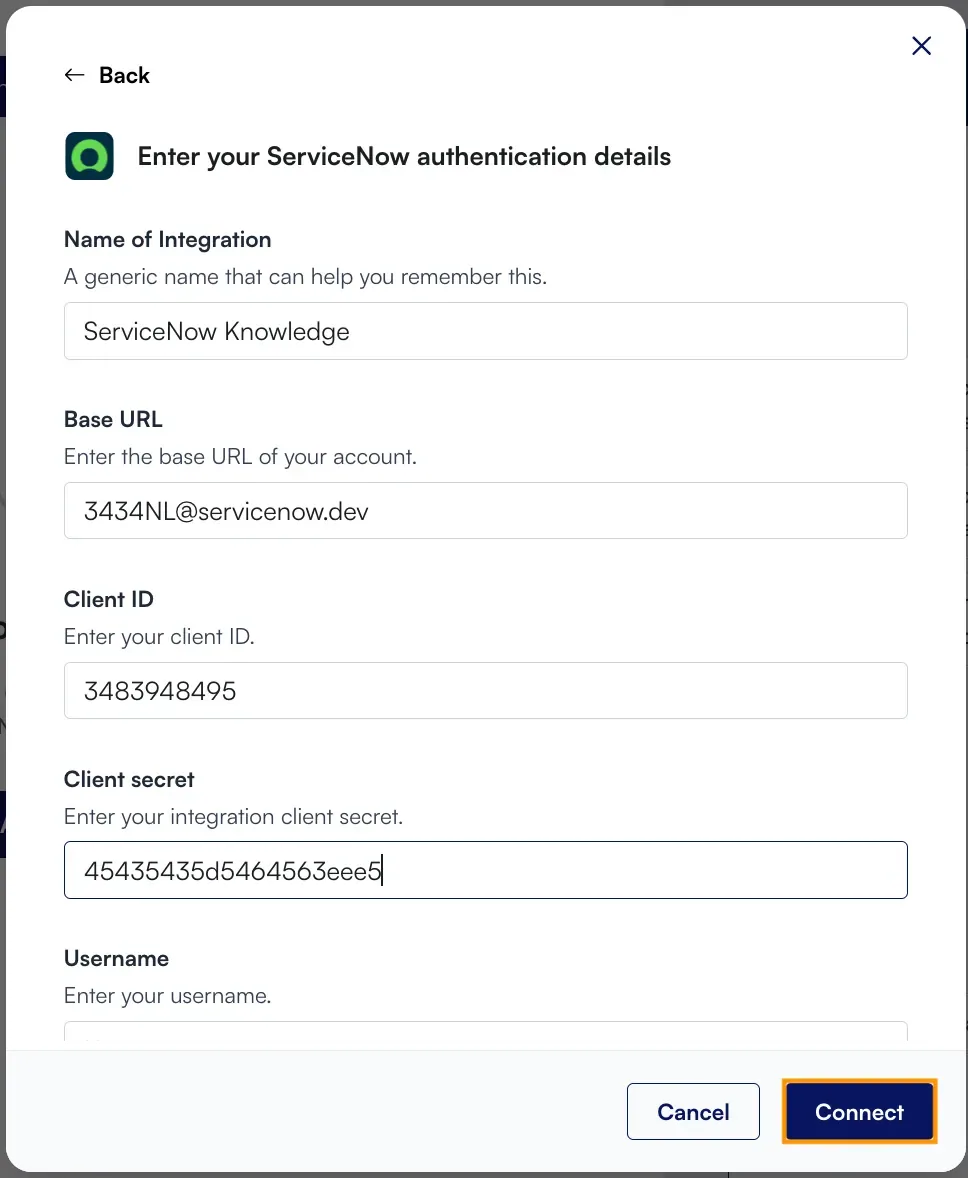
- A pop-up window will appear requesting additional connection details.
- Fill in the required fields and click ‘Connect’ to complete the setup.
- Click ‘Add Content’ to select the specific knowledge sources you want to train the LearnWise assistant on.
- To view the content that the LearnWise assistant is trained on, click on the dropdown menu. From here you can manually update the content or delete specific content
- Clicking disconnect will remove the integration entirely, including all knowledge housed within that application
Things to Note #
- Automated Updates:
- LearnWise automatically rescans integrated knowledge sources on a weekly basis to ensure content remains up to date
- Disconnection Impacts:
- If an external application is disconnected, all associated knowledge sources will be automatically removed from LearnWise.
- Applications can also be disconnected from the Helpdesk Page, which will impact your assistant’s knowledge base.
Conclusion #
By integrating external systems with LearnWise, your AI assistant gains access to up-to-date, institution-specific knowledge, ensuring it delivers accurate and relevant responses to students and faculty. With automated updates and seamless integration, LearnWise helps streamline knowledge management in higher education.
Still stuck?
Ask the LearnWise assistant. It answers from these guides.
Related guides
- How can I integrate a ticketing system?Build your assistant
- How do I connect SharePoint to LearnWise AI?Build your assistant
- Can I be selective around which website content I add to LearnWise?Build your assistant
- How are the multiple different knowledge sources prioritized?Build your assistant
- How can I add an FAQ to my knowledge?Build your assistant