

How to invite a team member to join my LearnWise admin account?
Inviting team members to join your LearnWise admin account is simple. By following these steps, you can add unlimited admins to your account, keeping the sensitivity of the data accessible within LearnWise in mind.
1 min readUpdated
How to Invite a Team Member to Join My LearnWise Admin Account
Inviting team members to join your LearnWise admin account is simple. By following these steps, you can add unlimited admins to your account, keeping the sensitivity of the data accessible within LearnWise in mind.
Step By Step Process: #
Login to LearnWise Admin:
Go to admin.learnwise.ai and sign in with your credentials.
Access Your Organization Settings:
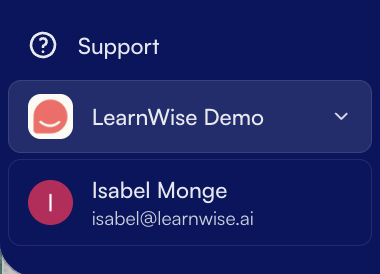
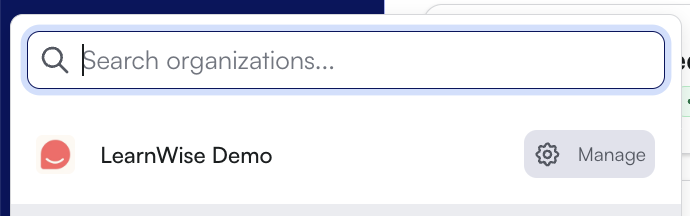
Once logged in, click on your university's name at the bottom-left corner to open a dropdown menu.
Select "Manage" from the dropdown options.
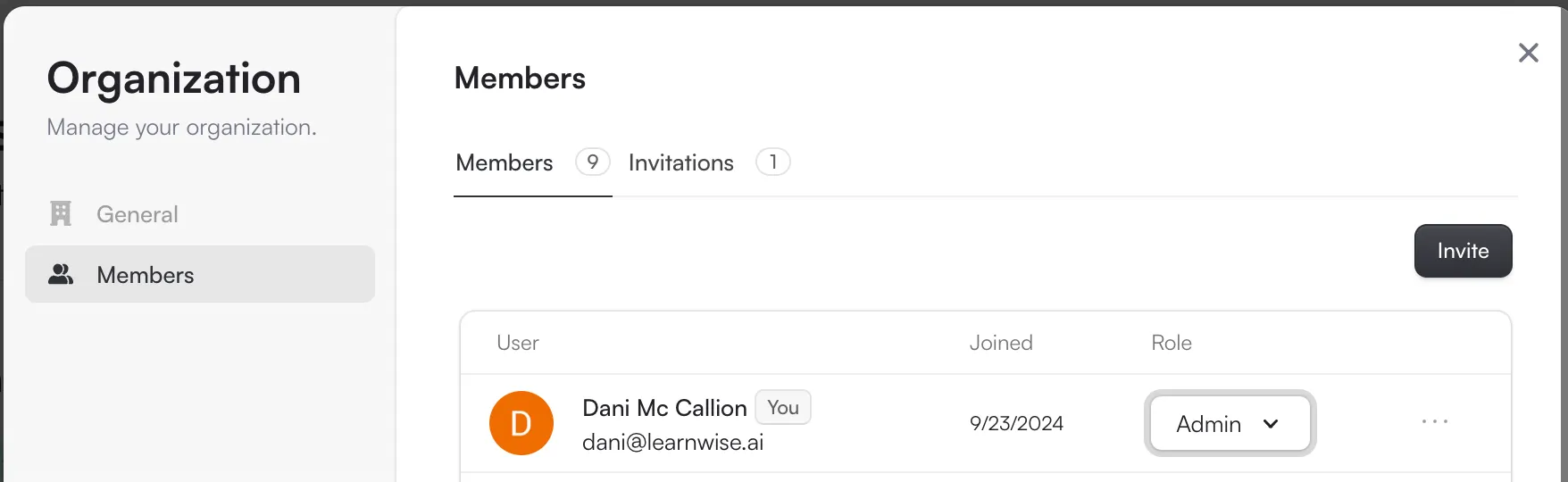
Navigate to Members Section:
In the organization management area, click on the "Members" tab to see current members and invite new ones.
Invite New Members:
Click on the "Invite" button. This opens a dialogue where you can enter the email addresses of the team members you wish to invite.
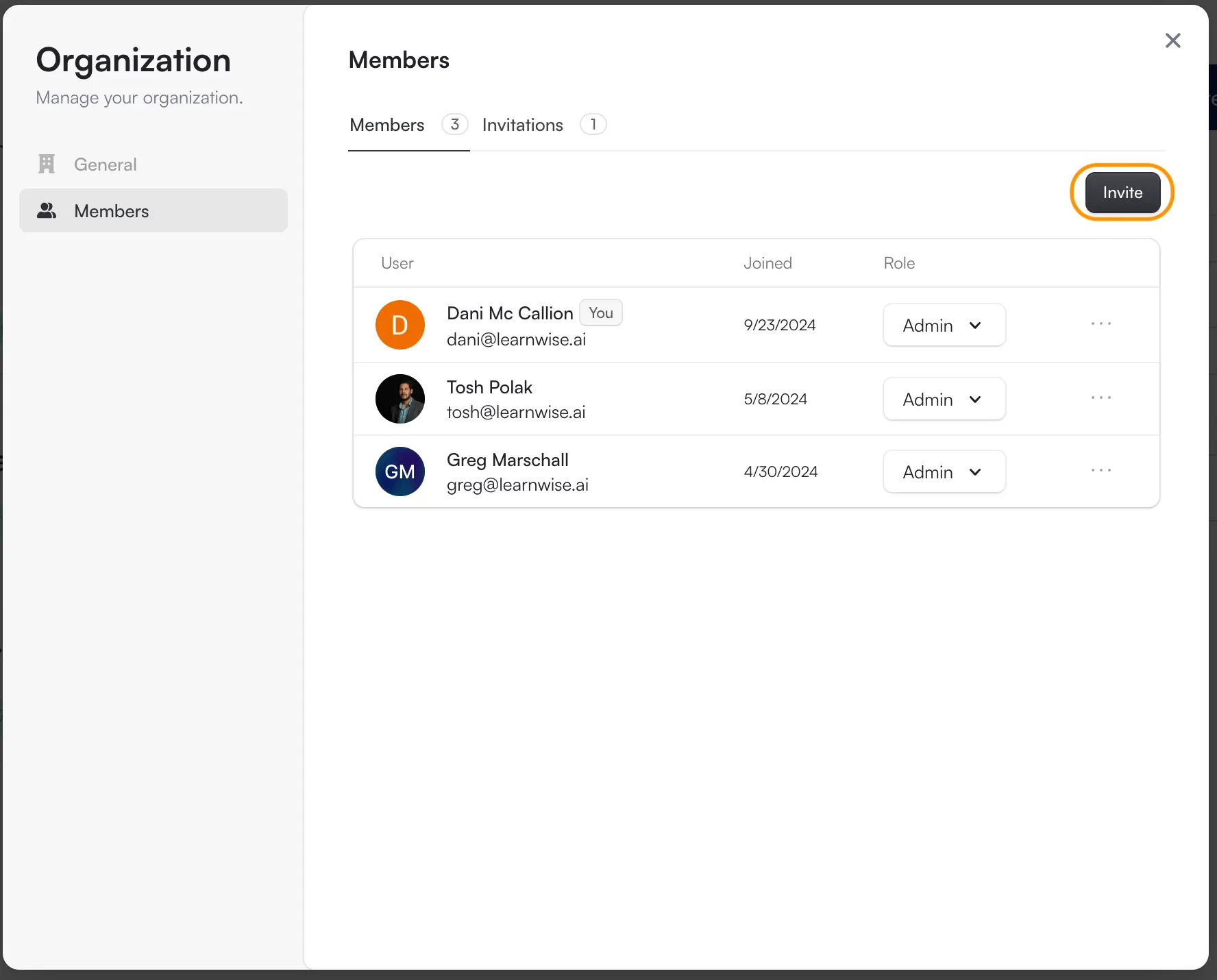
Input the email addresses, separated by commas or spaces, in the designated field.
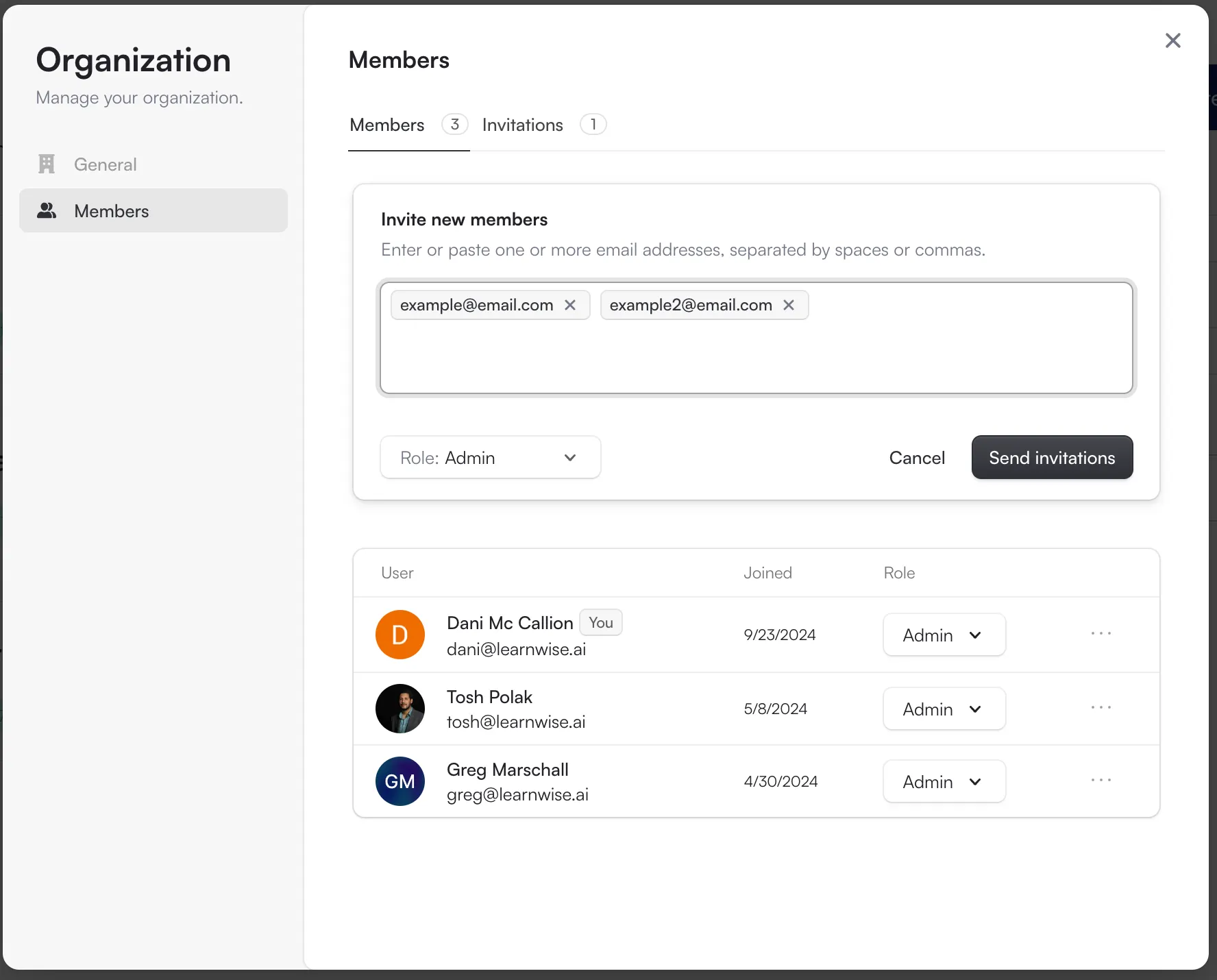
Assign Roles:
Choose the role that best meets the needs of the new user(s) and assign them appropriately.
Send Invitations:
After entering the email addresses and selecting the roles, click the "Send Invitations" button.
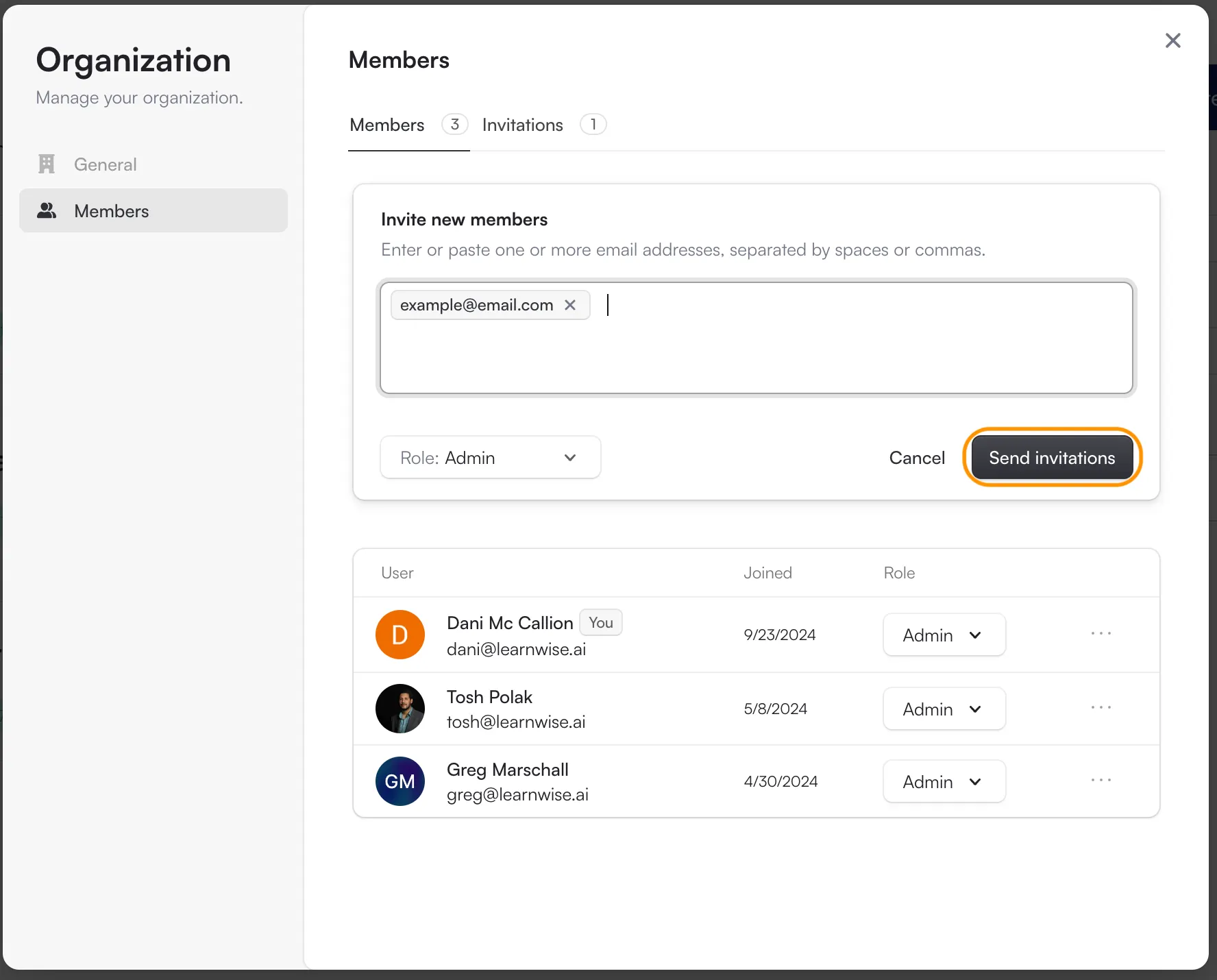
An email invitation will be sent to each team member.
By following these steps, you can expand your LearnWise admin team, ensuring all members have the access they need to manage and support your institution's learning environment effectively.
Still stuck?
Ask the LearnWise assistant. It answers from these guides.
Related guides
- What are the different roles that are available in the LearnWise dashboard?Start here
- Find the changelog and roadmapStart here
- How do I create a custom role?Start here
- How do I manage child organizations from a parent organization?Start here
- How do I set data retention periods for my organization?Start here