

How do AI suggested questions work?
AI-suggested questions in LearnWise assist users by generating contextually relevant queries, enhancing their interaction with AI assistants. Here's a comprehensive guide on activating and using this feature.
1 min readUpdated
On this page
Activating AI-Suggested Questions #
To enable AI-suggested questions for your assistant:
-
Log In to the Admin Panel
Navigate to the LearnWise Admin Interface at admin.learnwise.ai.
-
Select the Assistant
Go to the Assistants section and select the assistant you wish to modify.
-
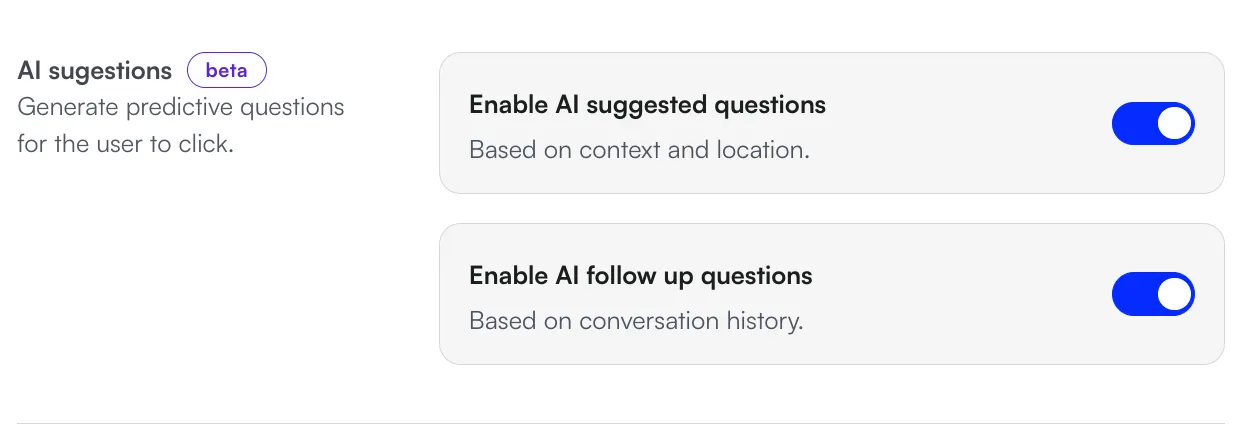
Enable AI-Suggested Questions
- The general settings is the landing page of the assistants, scroll down
- Toggle the option Enable AI Suggested Questions.
How AI-Suggested Questions Work #
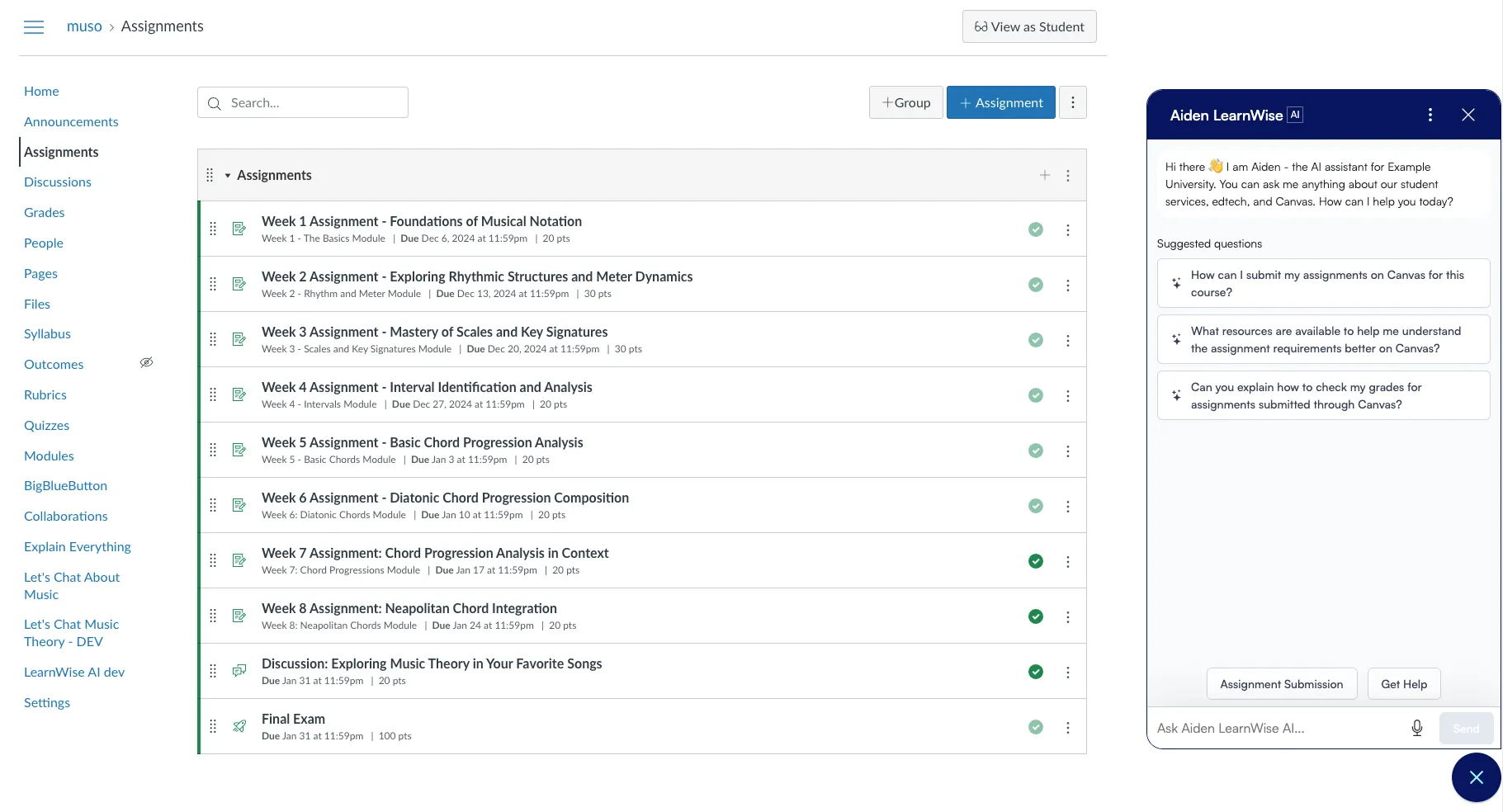
AI-suggested questions are dynamically generated based on the context in which the chat is initiated. For instance:
-
When accessed in an LMS/VLE assignments page, the assistant might suggest:
- “How can I submit my assignments for this course?”
- "what resources are available to help me better understand the assignment requirements?"
-
When accessed from a financial aid section, it might propose:
- "What scholarships are available this semester?"
- "How do I apply for student loans?"
Default Behavior #
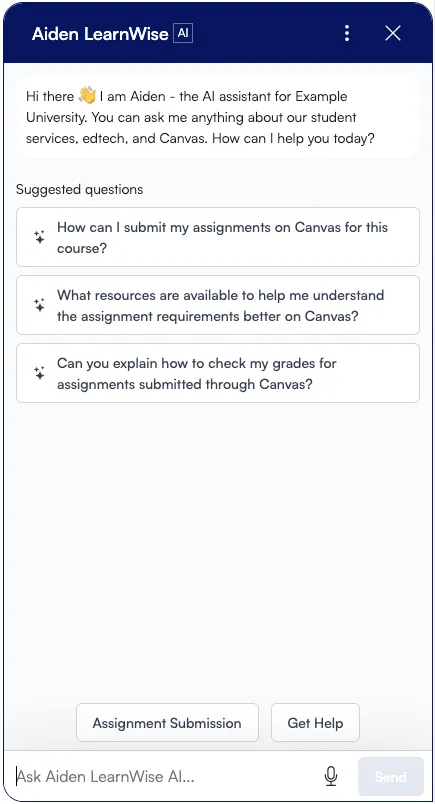
By default, the assistant generates three AI-suggested questions per interaction. These are tailored to maximize relevance to the user's context and enhance user experience.
Why Is the Feature in Beta? #
AI-suggested questions are still in Beta because:
-
Knowledge Base Dependency:
The quality of the generated answers depends on the availability of relevant knowledge in the assistant's knowledge base. If the required information is missing the assistant may be unable to provide an answer.
-
Ongoing Optimization:
LearnWise is continuously refining the algorithms to improve the accuracy and contextual relevance of suggested questions.
By activating AI-suggested questions and keeping the knowledge base updated, you can create a more intuitive and effective interaction experience for your users.
Still stuck?
Ask the LearnWise assistant. It answers from these guides.
Related guides
- How do I activate and use voice mode in the assistant?Build your assistant
- How do I change the brand color of your assistant?Build your assistant
- How do I change the nickname of the assistant?Build your assistant
- How do I set the global answering style for my assistant?Build your assistant
- How do I change the launch/close button of the assistant?Build your assistant