

How do I connect BambooHR as a knowledge source?
This guide walks you through the process of integrating BambooHR as a knowledge source in LearnWise. Once connected, your assistant will have access to your organisation's HR data — including employee records, department structures, and company documents such as policies and handbooks.
1 min readUpdated
On this page
Prerequisites #
Before starting the integration process, ensure you have:
- Admin access to BambooHR — required to generate an API token
- Admin level access to LearnWise — required to configure knowledge integrations
Step 1: Configure BambooHR in LearnWise Admin Panel #
- Log into your LearnWise admin panel
- Click Edit next to the assistant where you would like to add BambooHR as a knowledge source
- Navigate to Knowledge > Applications
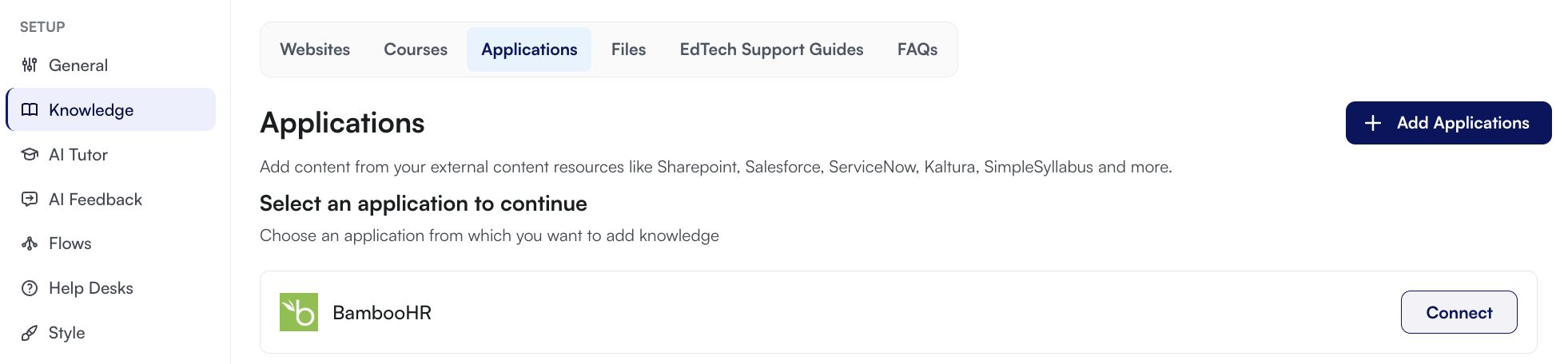
- Click Connect next to BambooHR
Step 2: Retrieve your credentials from BambooHR #
Before completing the connection, you'll need the following from your BambooHR account:
- Company Domain — your organization's BambooHR subdomain (e.g.
yourorg.bamboohr.com) - API Key — generated from your BambooHR account settings https://documentation.bamboohr.com/docs/getting-started
To generate an API key:
- Log into BambooHR
- Navigate to Settings > Account > API Keys
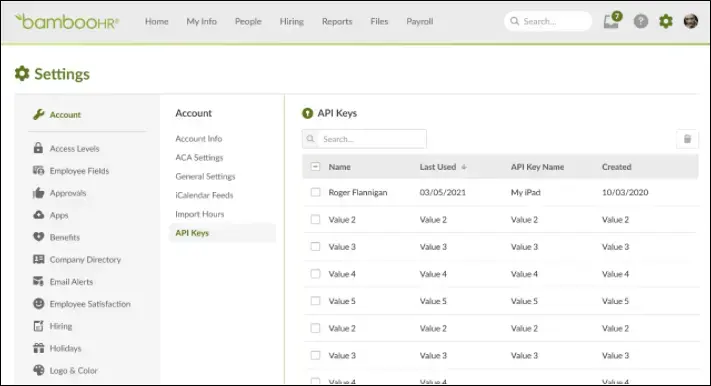
- Click Add New Key, give it a name, and copy the generated key
- Navigate back to the LearnWise admin panel and paste your Company Domain and API Key into the configuration interface
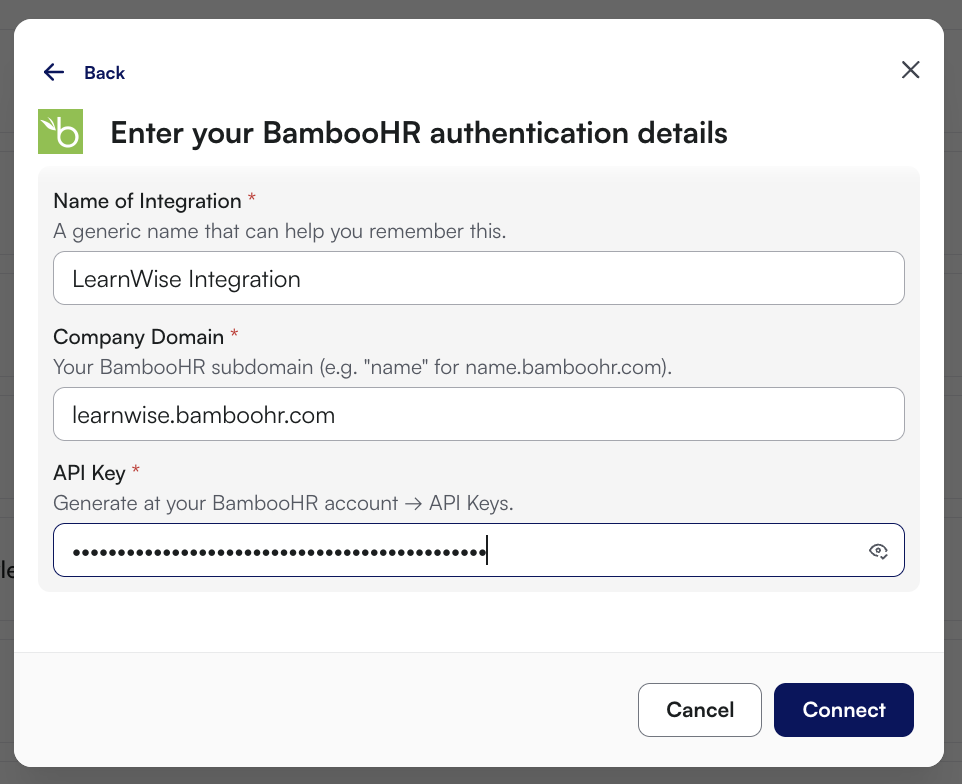
- Click Connect
Congratulations! Your assistant now has access to BambooHR as a knowledge source. Your assistant will have access to the following data:
-
Employee Directory
-
Departments & Groups
-
Locations
-
Company Files
-
Employee Files.
Was this page helpful?
Still stuck?
Ask the LearnWise assistant. It answers from these guides.