

How do I integrate ServiceNow ticketing system?
A step‑by‑step guide to integrating ServiceNow with LearnWise help desks so chat escalations can create ServiceNow incidents with mapped ticket fields and user data.
3 min readUpdated
On this page
LearnWise integrates seamlessly with ServiceNow through a plugin, enabling support cases to be created directly from LearnWise and routed to the relevant ServiceNow channels. These cases can pre-populate metadata, enhancing workflow efficiency.
Note: LearnWise currently create a connection to the ServiceNow helpdesk via User ID and password only.
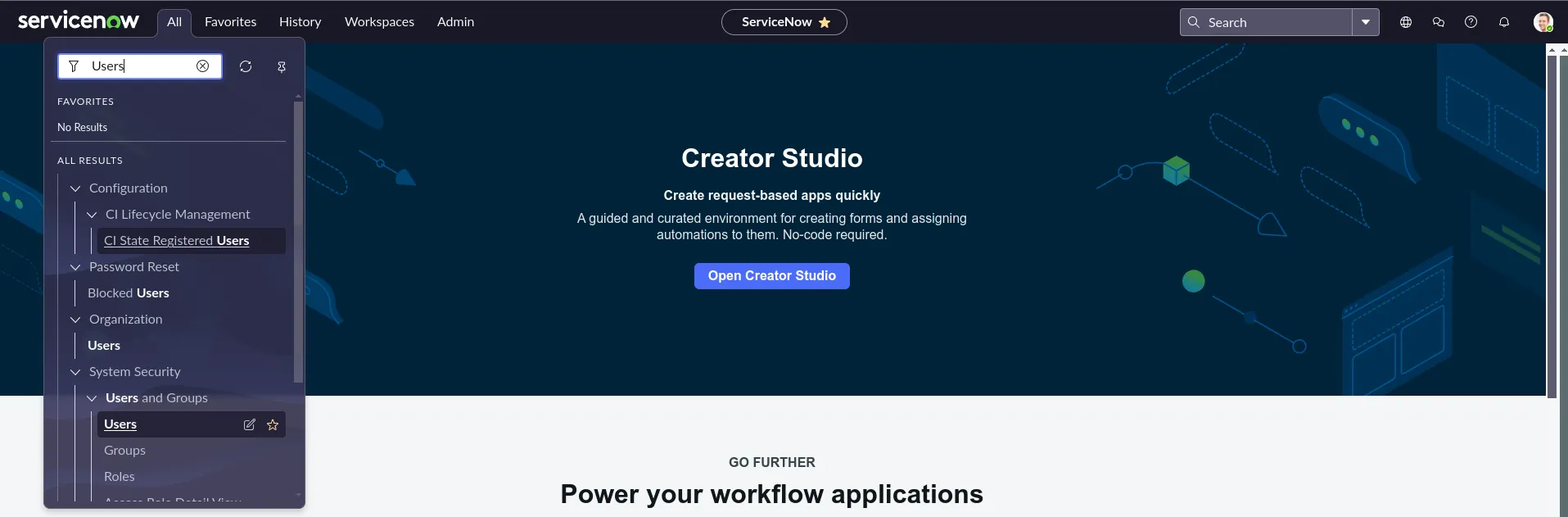
Navigate to the Users Section #
- Log in to the your ServiceNow instance developers instance.
- Click on ‘All’ & type ‘Users’ into the search bar in the dropdown menu
- Select Users below the ‘Users and Groups’ section from the menu, to open the Users Management page.

Create a New User #
- On the Users page, click the New button to begin creating a user.

Configure User Details #
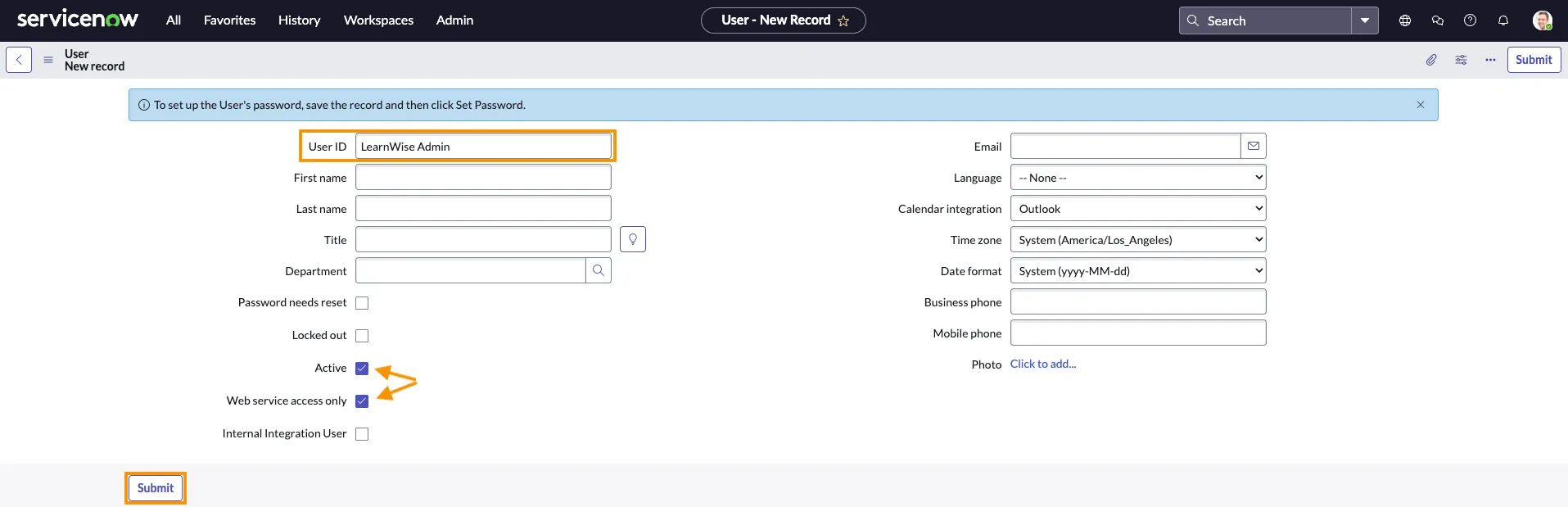
- In the User Creation Form, configure the following parameters:
- User ID: Create a recognizable name for the User (e.g Learnwise Admin)
- Check the box next to ‘Active’
- Check the box next to ‘Web Service Access Only’ if the user requires access through web services only.
- Click on ‘submit’ to register the new user
Set the Password #
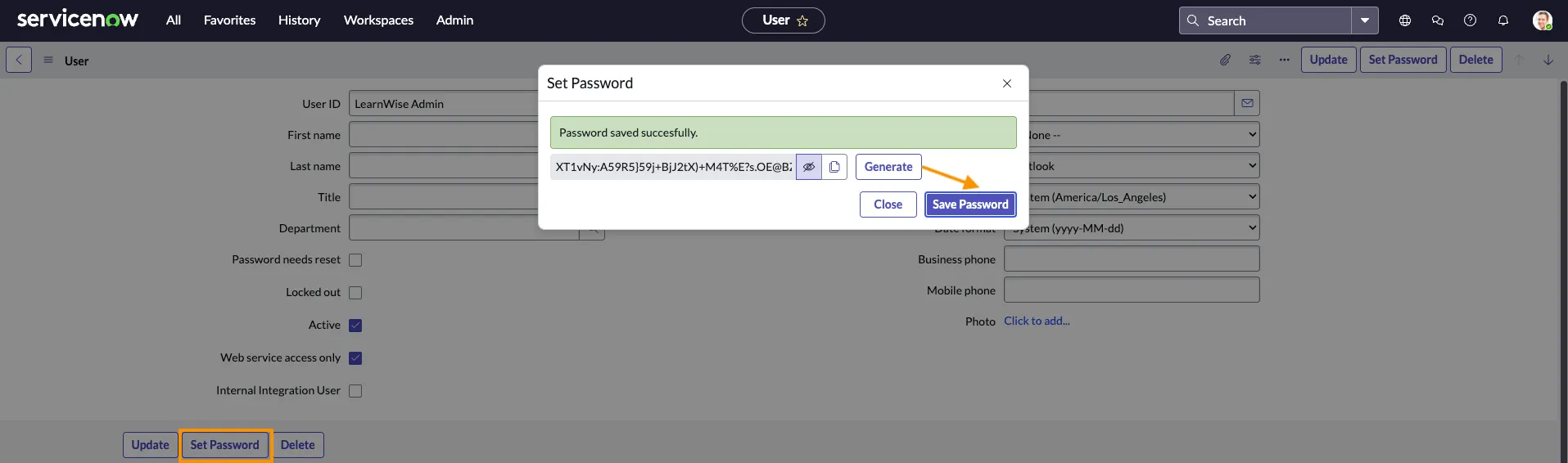
- Once the user is registered, click on the name to launch the User window
- Click on ‘Set Password’ and within the pop-up window, and generate a password (Copy and paste your password for safe-keeping: you will need it later)
Assign User Role #
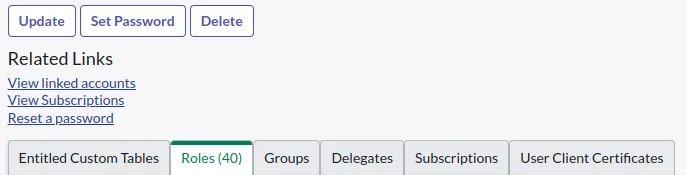
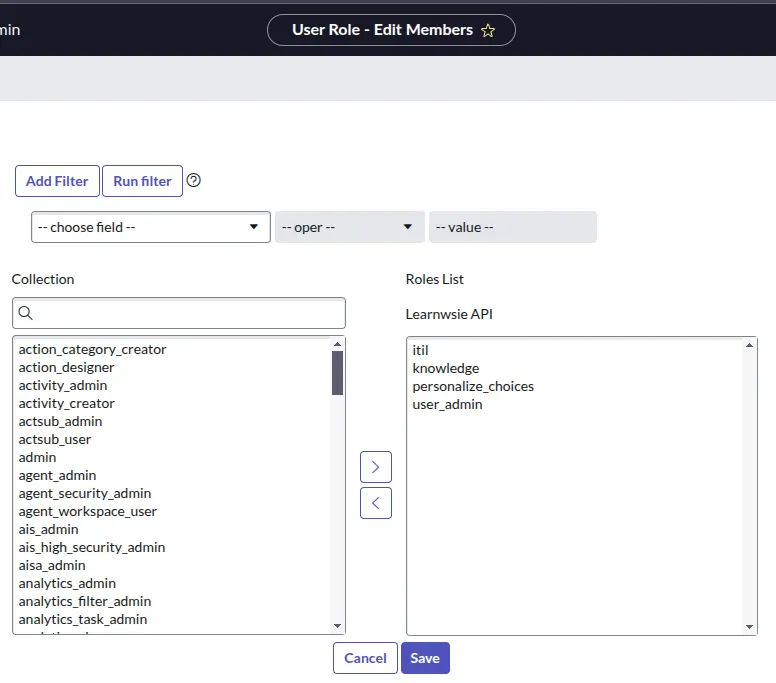
- Navigate to the Roles tab on the user profile page. Assign the following roles:
- itil: used to create incidents and get list of supported fields.
- knowledge: used to pull knowledge articles.
- personalise_choices: used to get options for category, sub_category fields.
- user_admin: used to search and create users while creating incidents. (access to user operations only).

Set-up OAuth Credentials #
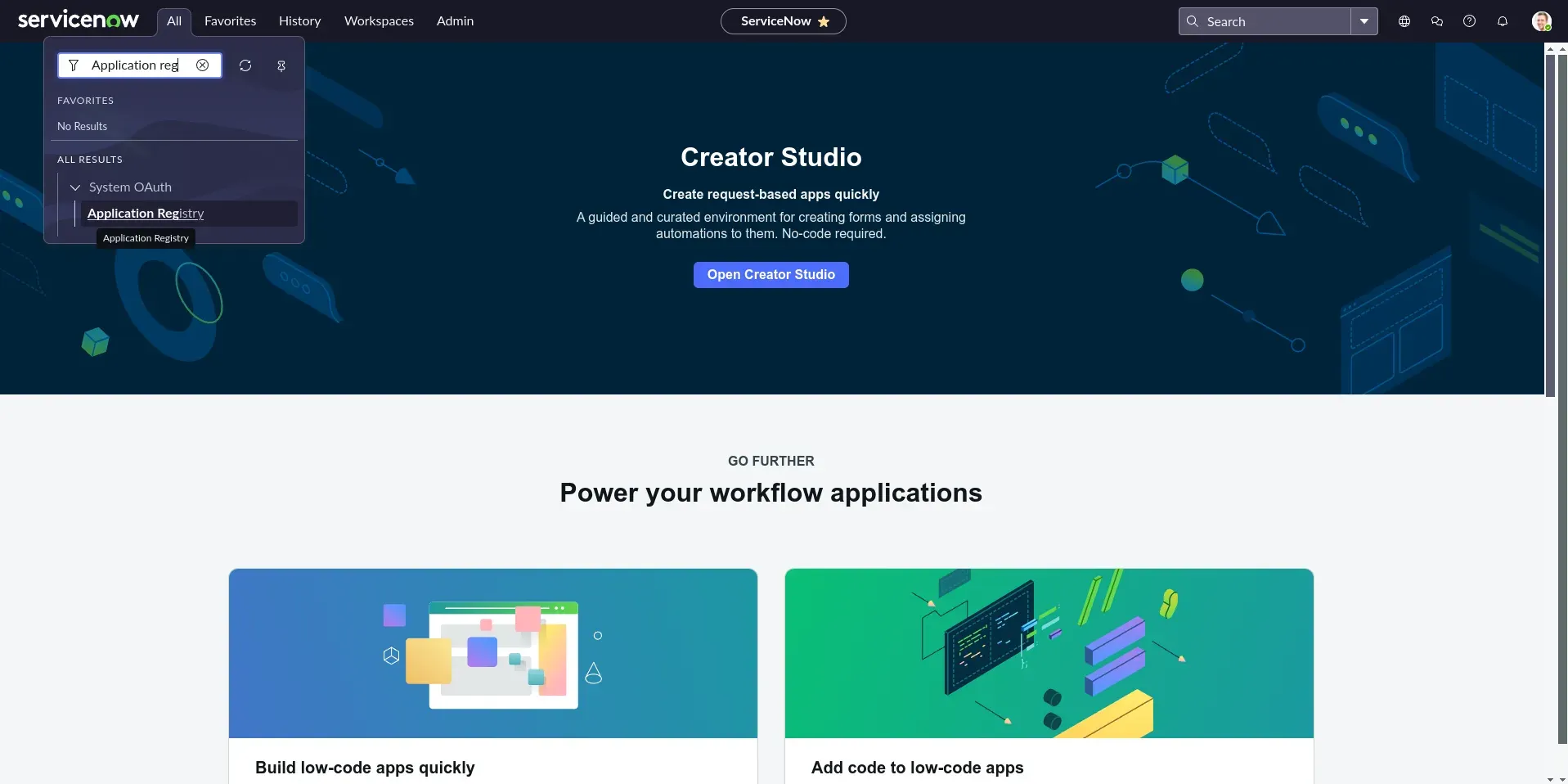
- Return to the search bar in the drop-down menu, type ‘Application Registry’ and click on it
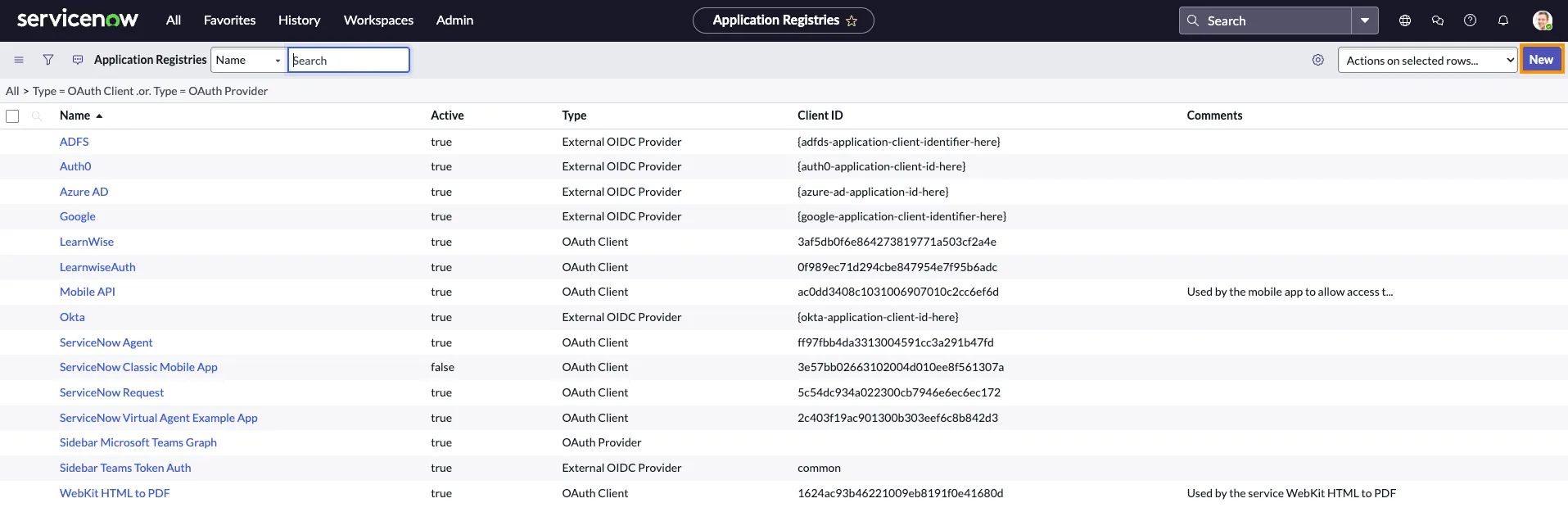
- Click on ‘New’ to create OAuth Credentials for Learnwise
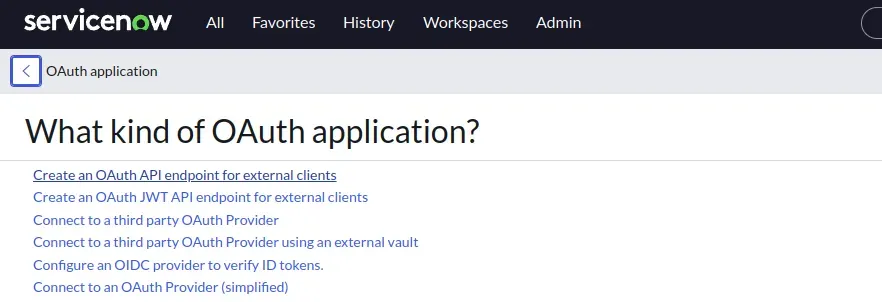
- Choose ‘Create an OAuth API endpoint for external clients’ from the list
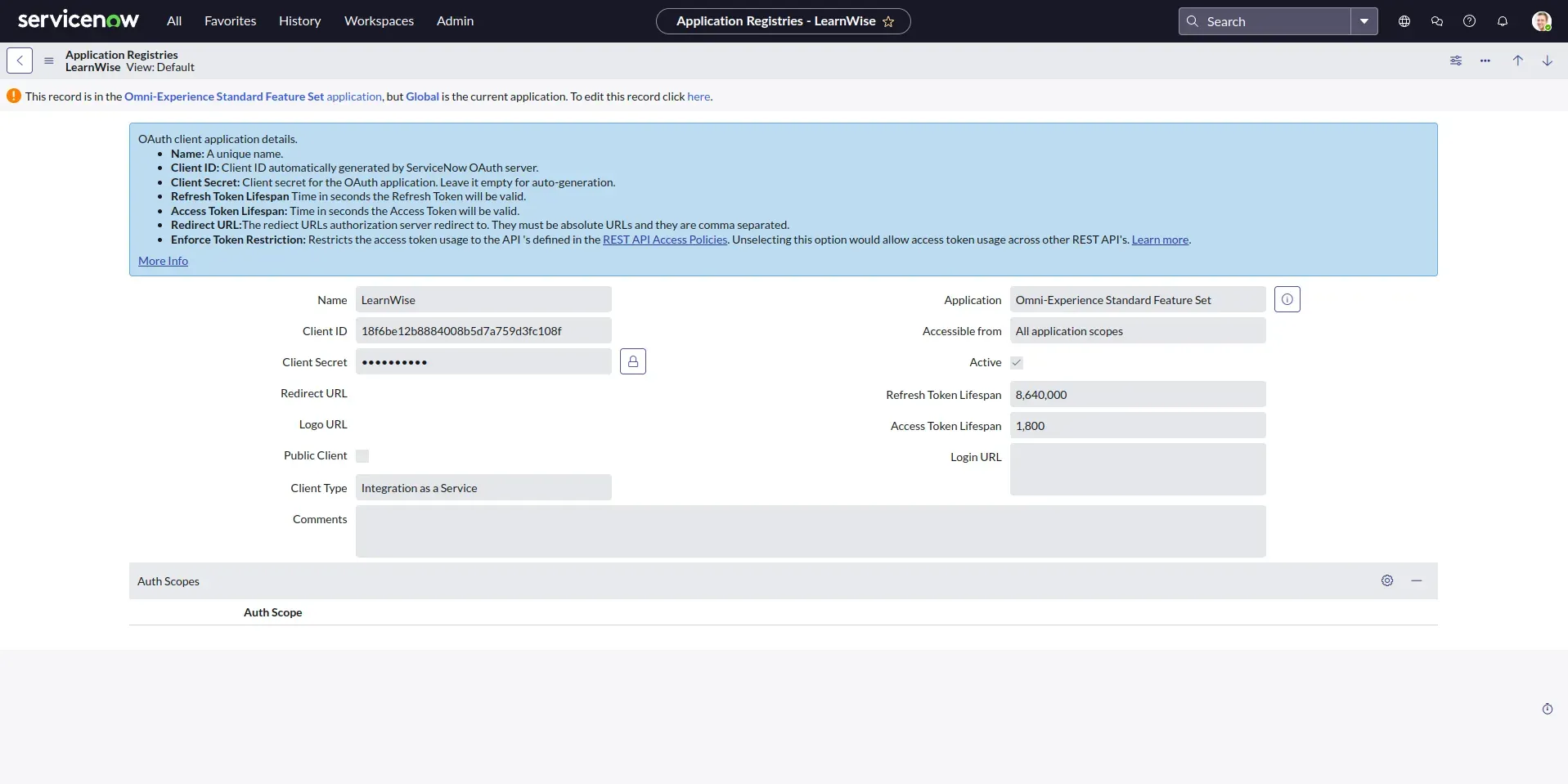
- Ensure the following parameters are set:
- Name: LearnWise
- Client ID: will auto-generate
- Client Type: Integration as a Service
- Application: Omni-Experience Standard Feature Set
- Click ‘submit’
- ‘LearnWise will be now visible in the list. Click it to retrieve the necessary information to complete the integration
Configure the connection in LearnWise #
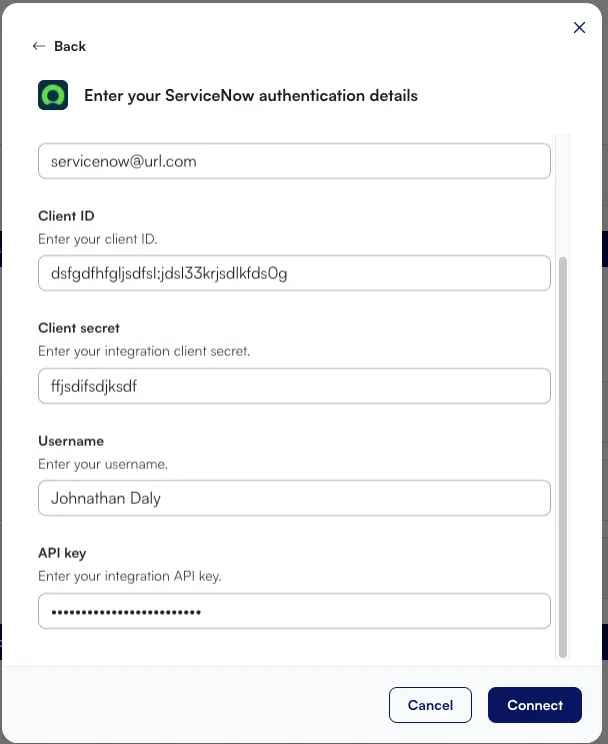
In order to complete the integration: -Navigate to the helpdesk you want to set up the integration for. -In the integration setup panel, enter the following details:
-
Base URL
-
Client ID
-
Client Secret
-
User Name (the one you created for this integration)
-
User Password (currently named API Key)
-
Click on ‘Connect’
-
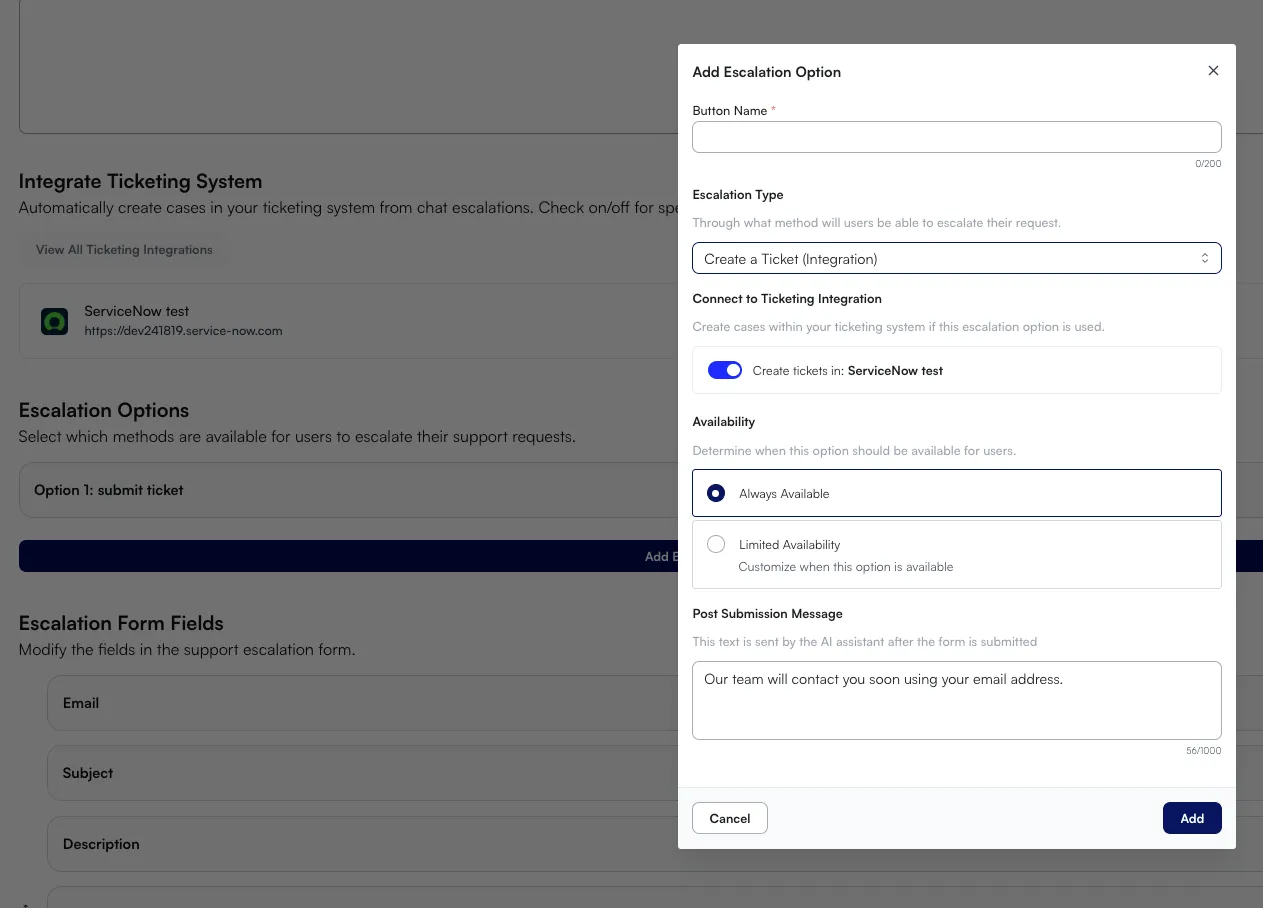
Add an escalation option:
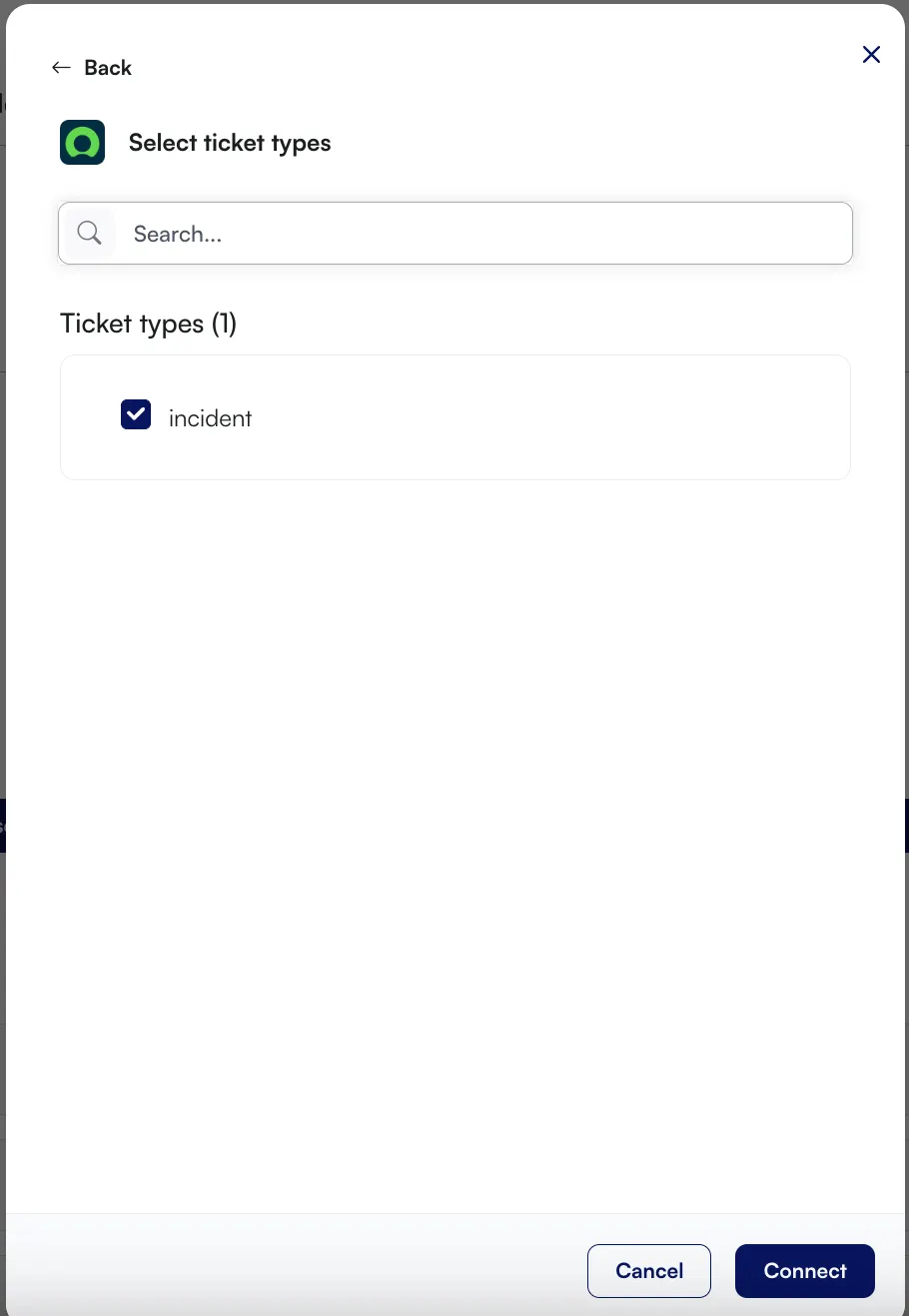
- Click on the integration and select ‘incident’ from the form to create the connection & click Connect
- Locate the option labeled Create a Ticket (Integration).
- Toggle ON the option for ServiceNow.
-
Find and click Add Form Field.
-
Here, you can map which fields you would like to be included in the ticket (e.g., subject, description, priority).
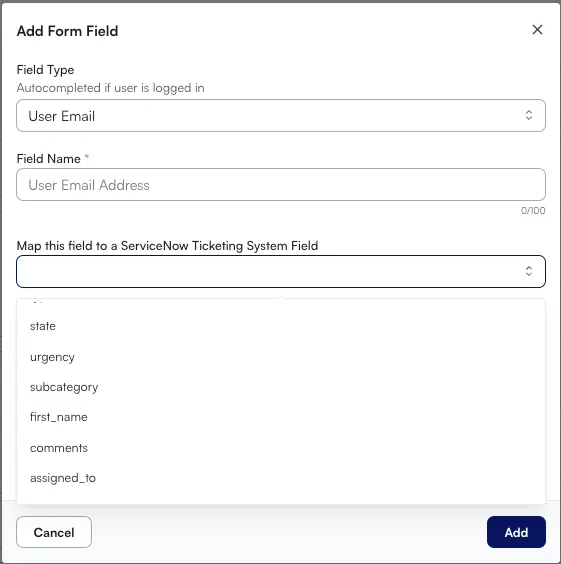
Field mapping between ServiceNow & LearnWise #
| Ticketing fields that can be mapped | Metadata to generate a user |
|---|---|
| Description | |
| Short description | Username |
| Urgency | First name |
| Impact | Last name |
| Severity | Phone number |
| State | Employee number (if relevant) |
| Comments | |
| Work notes | |
| Type | |
| Assigned to | |
| Category | |
| Sub-category |
Still stuck?
Ask the LearnWise assistant. It answers from these guides.
Related guides
- How can I integrate a ticketing system?Build your assistant
- How do I integrate Salesforce ticketing system?Build your assistant
- How do I integrate with HubSpot ticketing system?Build your assistant
- How do I create a new Help Desk?Build your assistant
- How do I customize the form fields for the escalation/help desk?Build your assistant