

How do I publish an assistant into CampusGroups?
LearnWise AI assistants can be seamlessly integrated into CampusGroups to provides users with instant, context-aware support. Whether as a floating chat button or a dedicated menu item, this setup makes it easier for users to access help and guidance 24/7 without leaving the platform.
1 min readUpdated
On this page
Integration Options #
There are two ways to integrate LearnWise with CampusGroups:
Option 1: #
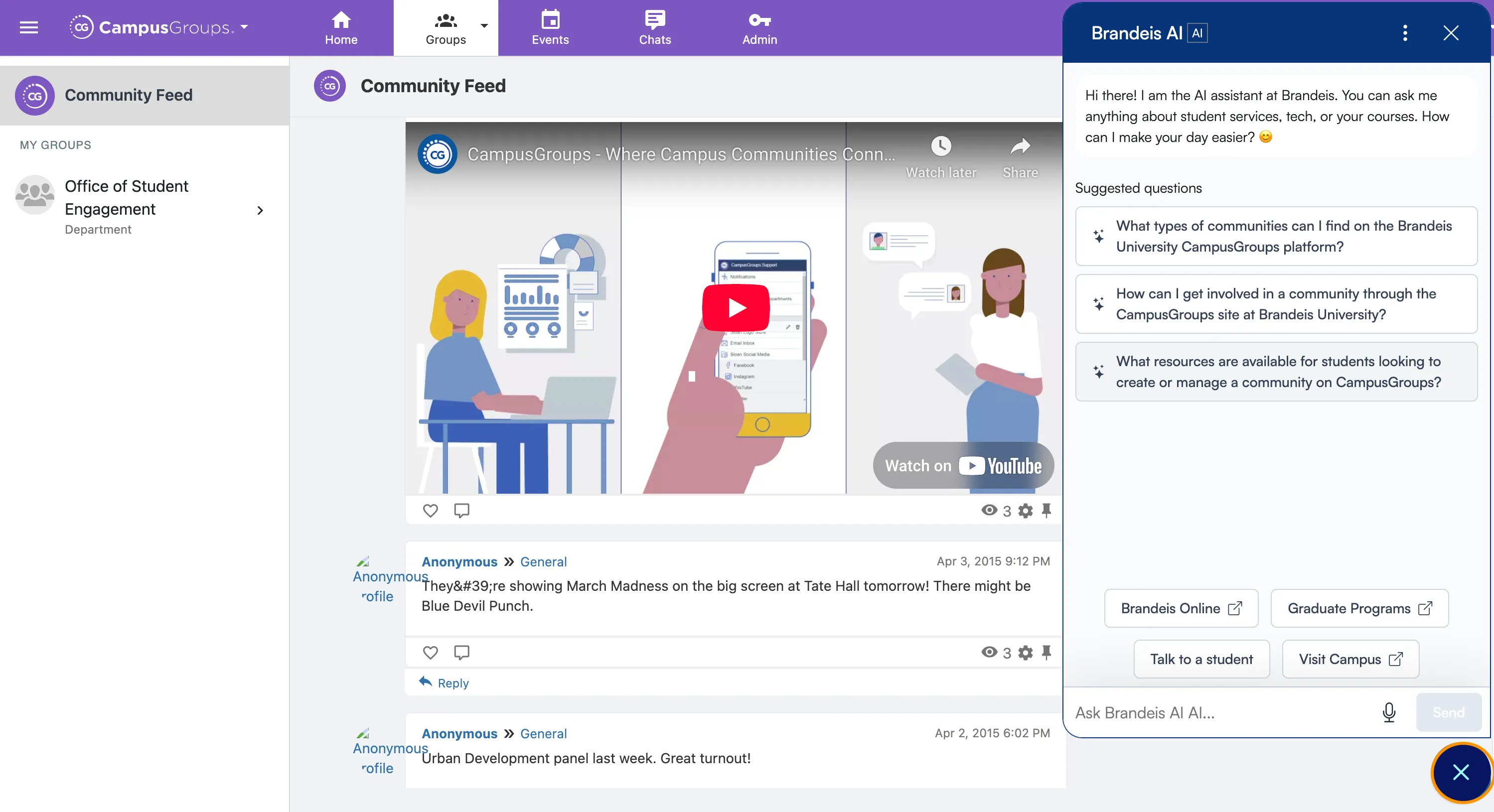
This option adds a chat button that floats on all CampusGroups pages, providing easy access to the LearnWise assistant.
To get your installation code:
- Log in to your LearnWise dashboard
- Navigate to the Publish tab
- Click on the CampusGroups card
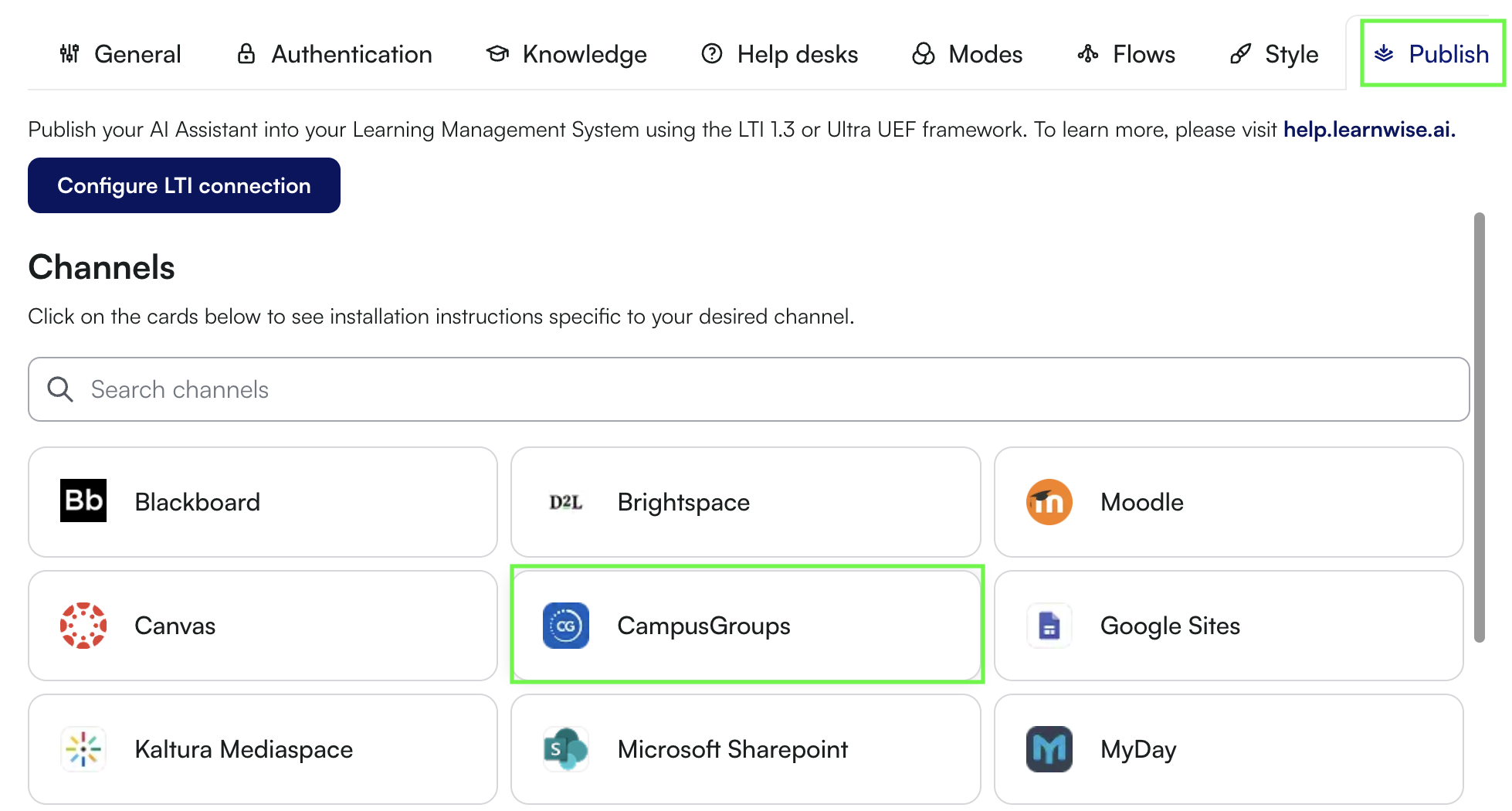
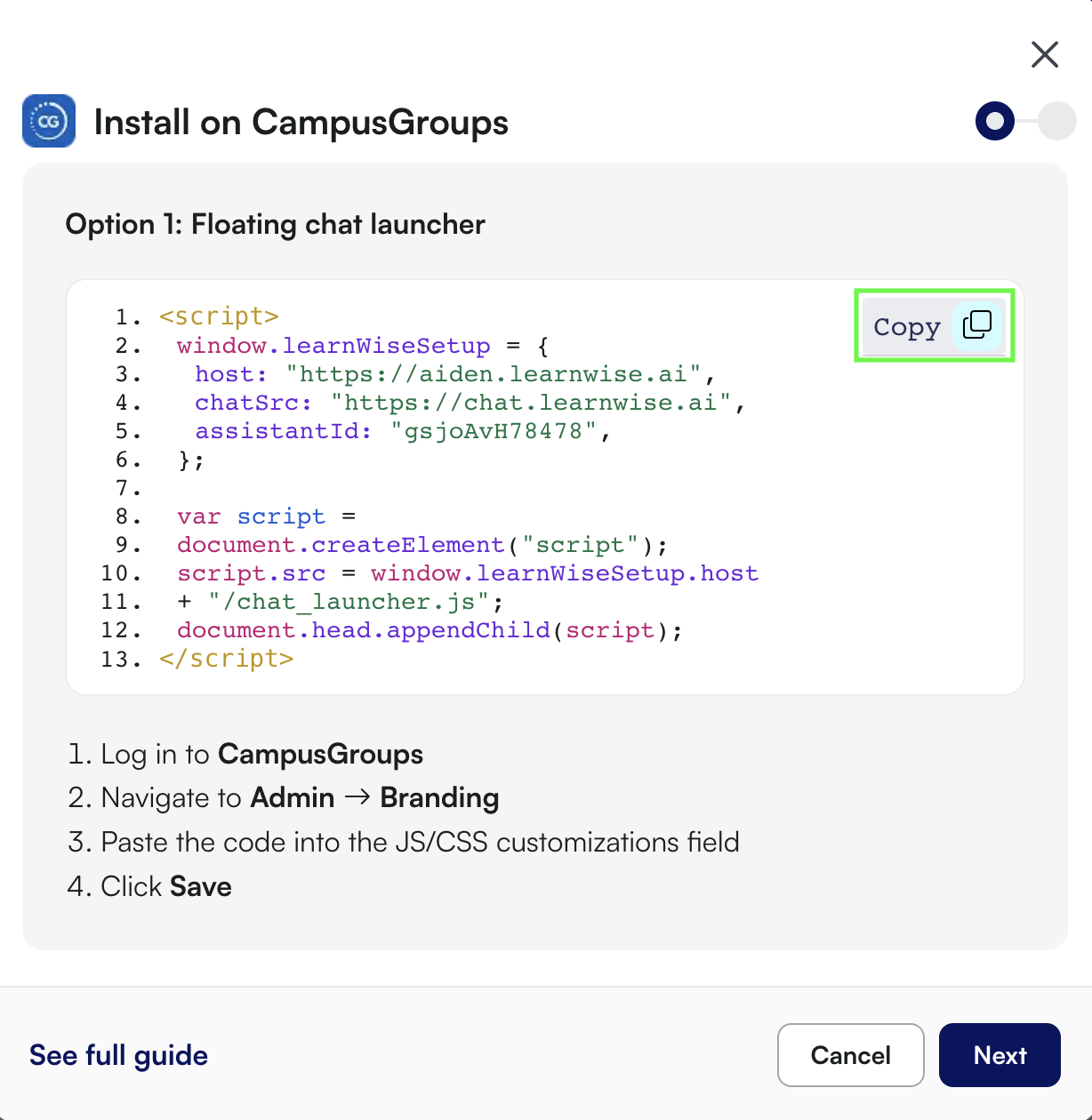
- You'll see installation instructions for Option 1: Floating chat launcher
- Click the Copy button to copy the code
To install in CampusGroups:
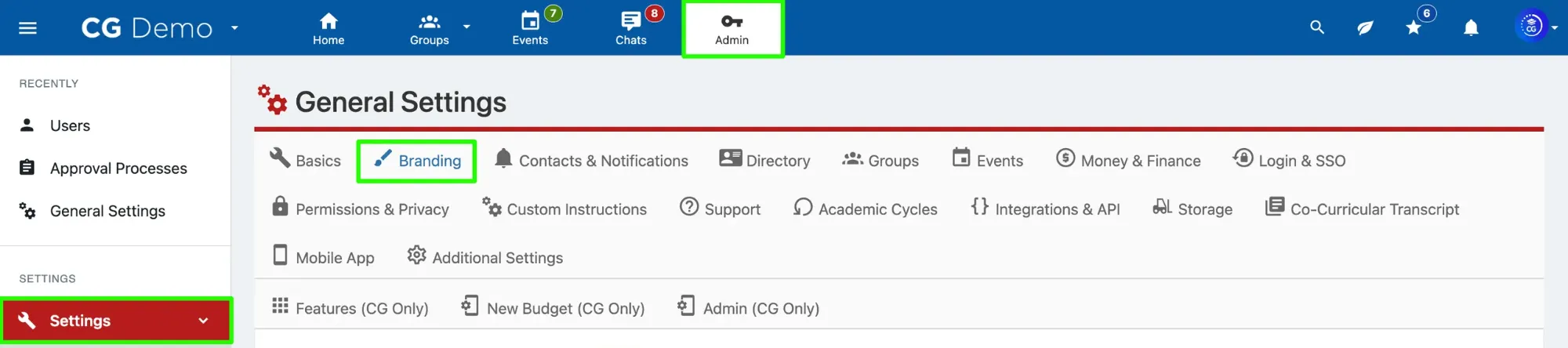
- Log in to CampusGroups
- Navigate to: Admin > Branding
- Paste the code into the JS/CSS customizations field.
- Click Save.
Option 2 #
This option integrates LearnWise as a dedicated menu item in the CampusGroups navigation menu.
To get your installation link:
- Log in to your LearnWise dashboard
- Navigate to the Publish tab
- Click on the CampusGroups card
- Select Option 2: App Menu
- Click the copy icon next to the Link to copy the URL
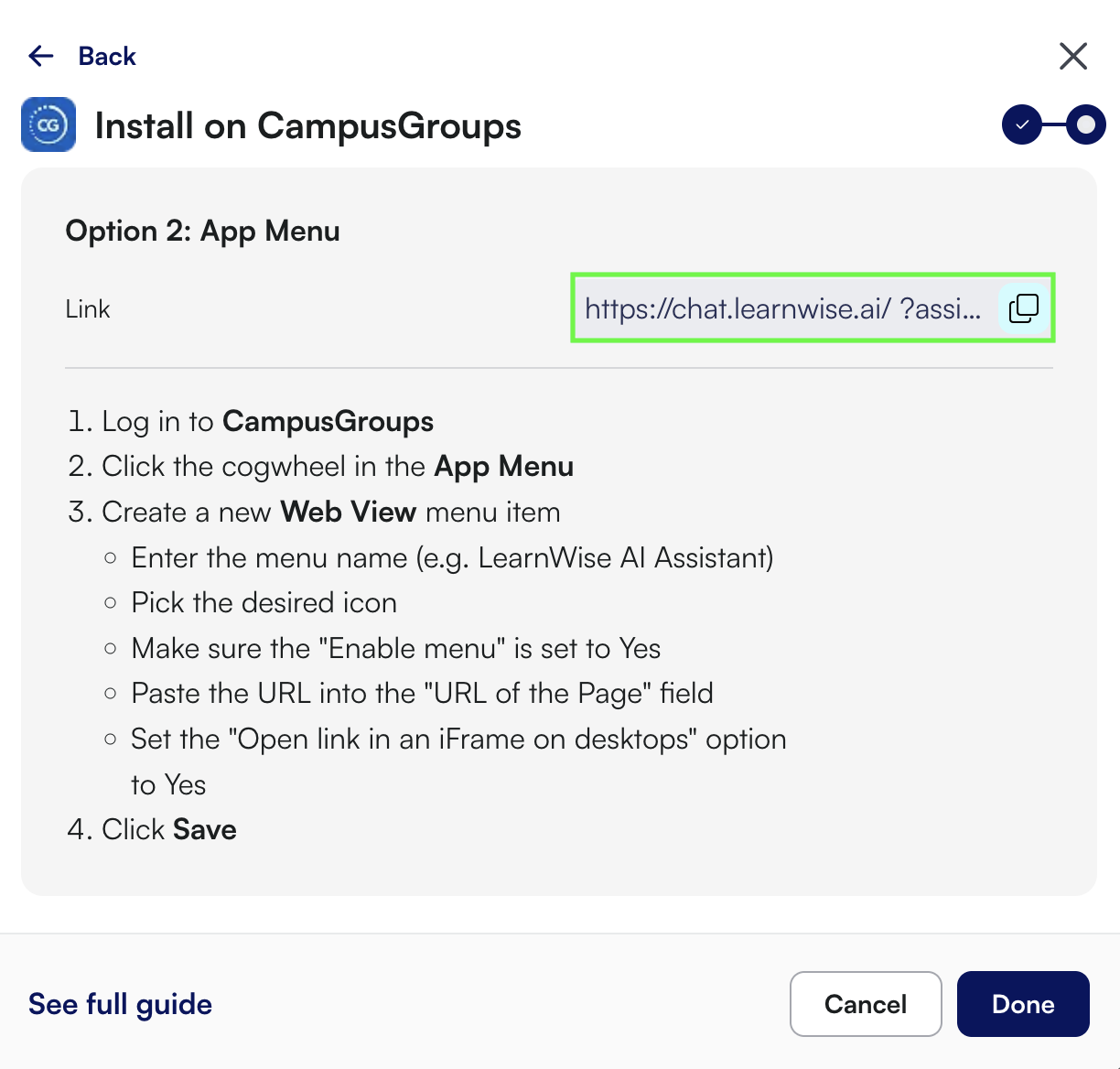
-
Log in to CampusGroups
-
Click the cogwheel in the App Menu.
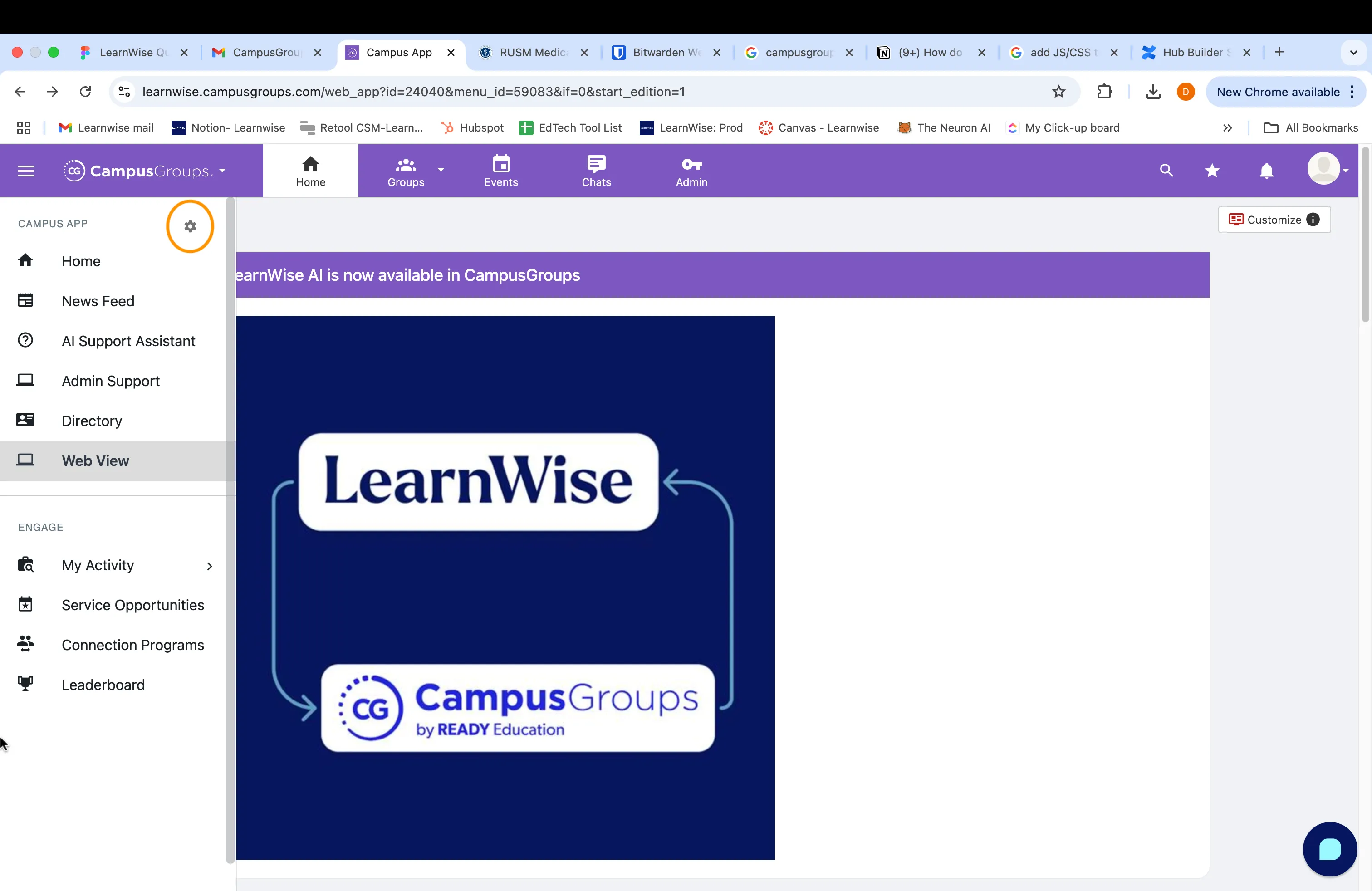
-
Paste the URL we copied earlier into the "URL of the Page"
-
Set the "Open link in an iFrame on desktops" option to Yes.
-
Click Save.
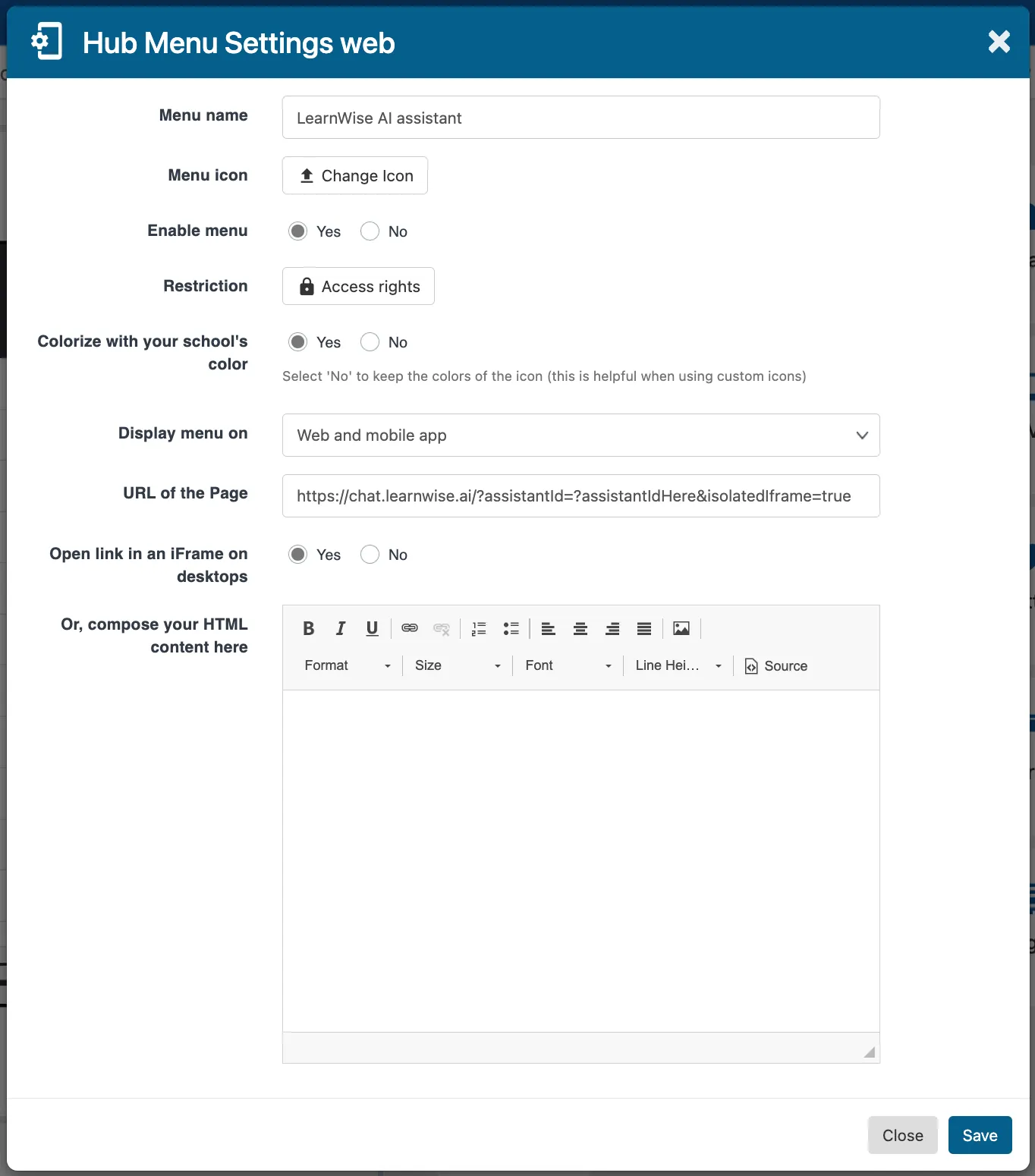
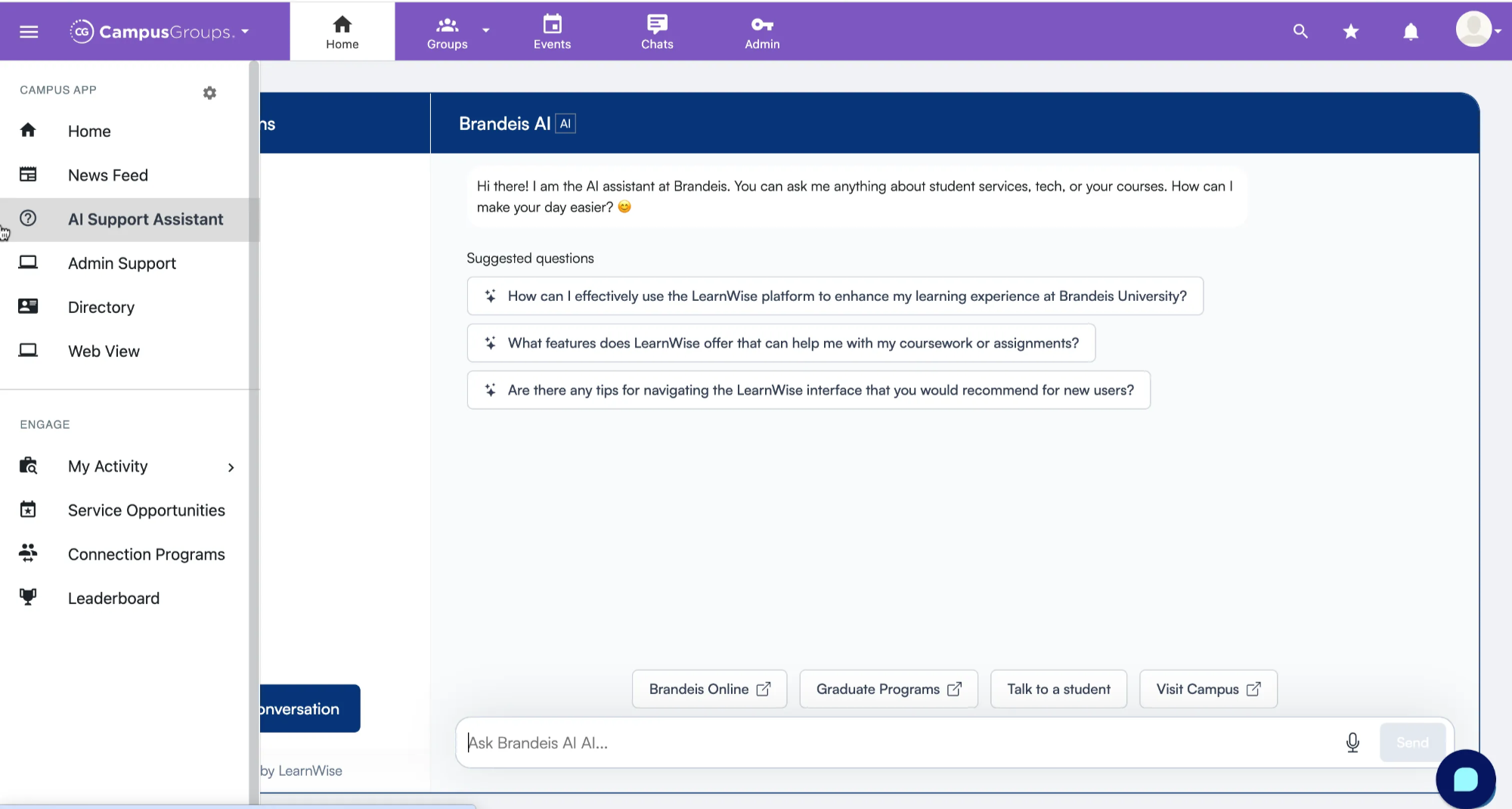
Your LearnWise AI assistant is now available in the navigation bar and will appear as an iframe
Still stuck?
Ask the LearnWise assistant. It answers from these guides.
Related guides
- How can I add AI Student Tutor within Blackboard?Build your assistant
- How do I install AI Campus Support on the Brightspace Login Page?Build your assistant
- How do I publish an assistant in Blackboard via the Ultra Extension Framework (UEF)?Build your assistant
- How do I publish an assistant into Microsoft Sharepoint?Build your assistant
- How do I publish an assistant into Microsoft Teams?Build your assistant