

How do I remove or delete a knowledge source?
Quickly remove outdated knowledge sources from your LearnWise assistant by unselecting LMS and apps, deleting websites and PDFs, and letting the system fully clear them within a few minutes.
1 min readUpdated
If you need to remove or delete a knowledge source from your LearnWise assistant, the process varies slightly depending on the type of content. Here's a guide to help you through each step.
- Log In Sign in to your LearnWise admin account via admin.learnwise.ai
- Navigate to Assistant Settings: Access the settings of the assistant you wish to modify by clicking ‘edit’.
- Go to the Knowledge Tab: Here, you can manage all the knowledge sources that your assistant has been trained on.
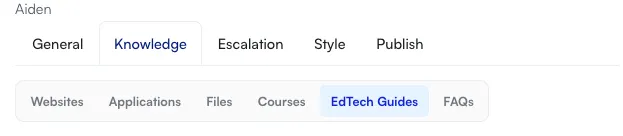
- Remove Different Types of Knowledge Sources
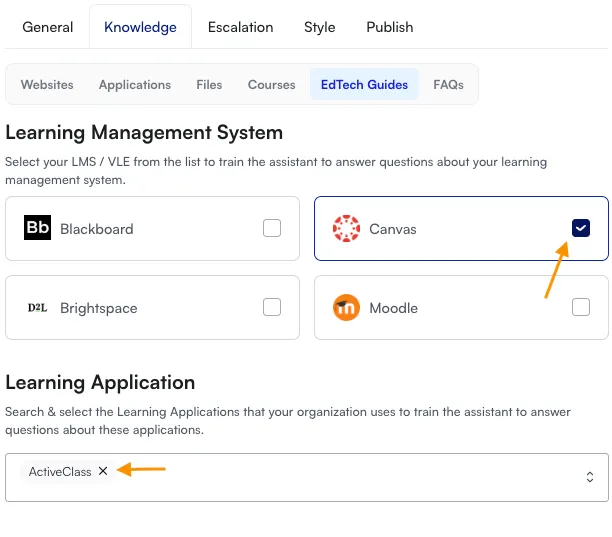
- Learning Management System (LMS)
- Click on the logo of the selected LMS system to unselect it.
- EdTech Apps / Learning Applications
- Scroll to the ‘Learning Applications” section
- Click on the ‘x’ of the selected Learning Applications to unselect them
- Websites
- Scroll to the ‘Websites’ section
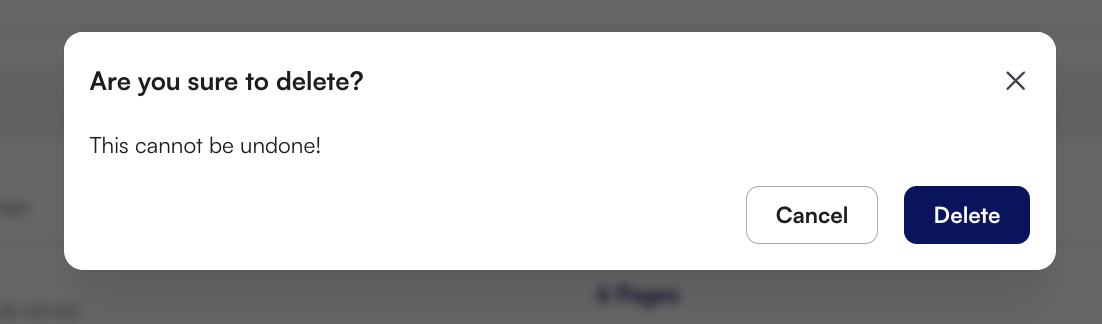
- Click on the ‘Delete’ button
- In the confirmation modal, click ‘Delete”
- Uploaded Documents PDF
- Scroll the the “Upload Documents” section
- Click the Trash Can Icon
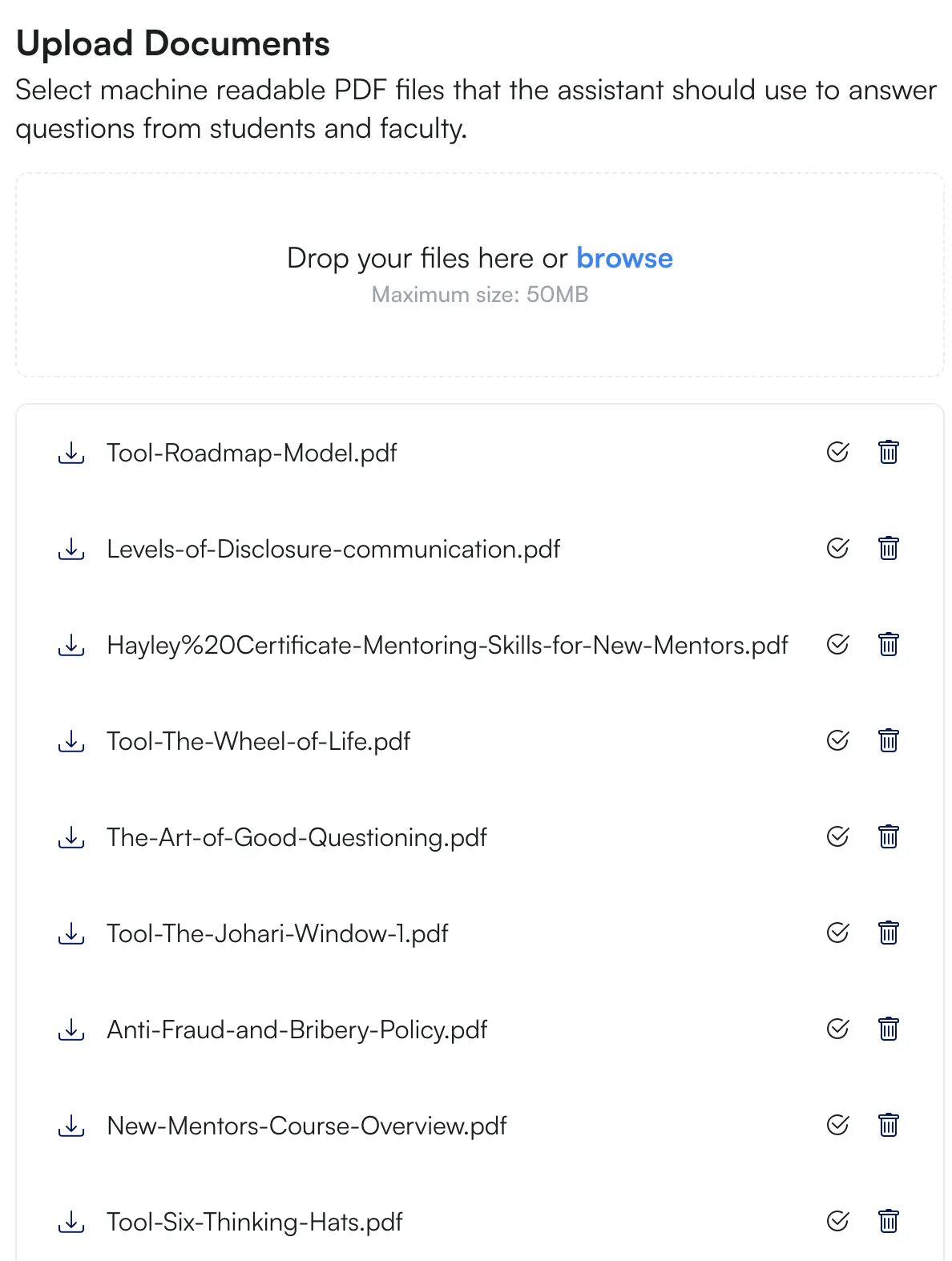
- In the confirmation modal, click “Delete”.
- Learning Management System (LMS)
After Removing the Knowledge Source #
- Confirmation: Ensure that you confirm the removal or deletion.
- Processing Time: After saving the changes, it takes around 5 minutes for the content to be completely removed from the assistant’s knowledge base.
This process allows you to keep your LearnWise assistant's knowledge base relevant and up-to-date by removing outdated or unnecessary content. By following these steps, you can ensure that the assistant only utilizes the most current and useful information available.
Was this page helpful?
Still stuck?
Ask the LearnWise assistant. It answers from these guides.
Related guides
- Can I be selective around which website content I add to LearnWise?Build your assistant
- How are the multiple different knowledge sources prioritized?Build your assistant
- How can I add an FAQ to my knowledge?Build your assistant
- How can I use regex and URL filters to control web scraping in LearnWise?Build your assistant
- How do I add knowledge content that is hosted on external platforms?Build your assistant