

How do I upload files as a knowledge source?
Upload files to quickly expand your LearnWise assistant’s knowledge with institution-specific content, and manage them through the Knowledge → Files step.
1 min readUpdated
On this page
Integrating files into your LearnWise assistant is an effective way to enhance its knowledge base with specific institutional content. This could include policy manuals, course outlines, research papers, or any other relevant documents.
Steps to Add Files as Knowledge Sources #
- Access the Knowledge Management Area: Log into your LearnWise admin panel at admin.learnwise.ai
- Edit or Create an Assistant
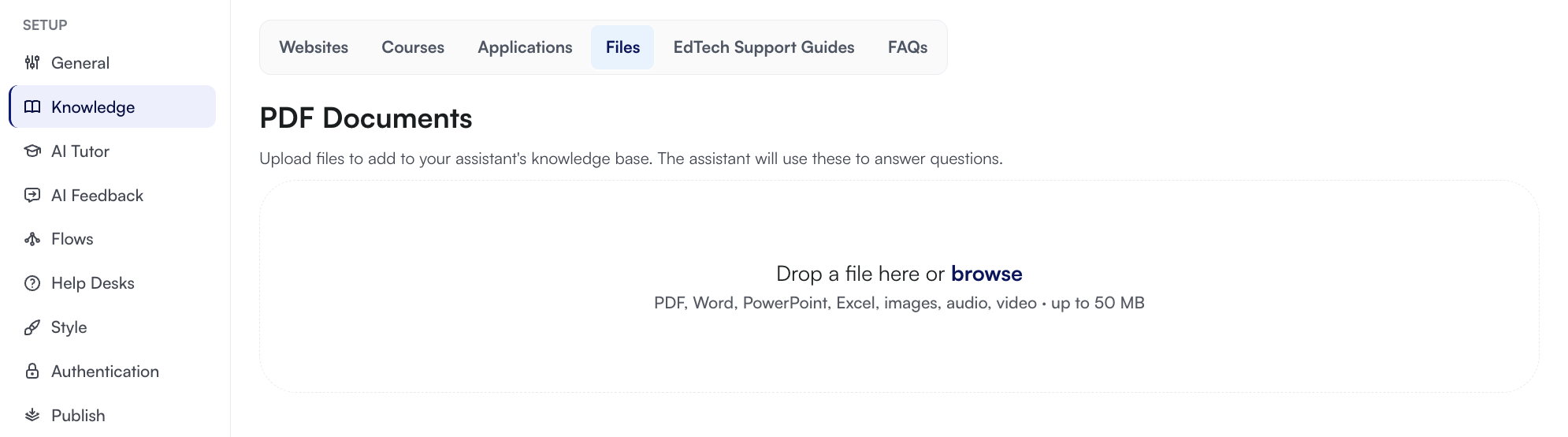
- Navigate to Knowledge > Files
-
Drag and drop your files or browse your computer to add them
- Wait for Processing: The time taken to process and integrate the document content into the AI's knowledge base is between 30 minutes and 1 hour. It's usually a quick process, but larger or more complex documents may take longer.
- Updates: If updates are made to any of the uploaded files, it is necessary to re-upload them for the assistant to register the updates. It is advisable to delete the old version to ensure the assistant pulls from the correct source.
- Deletion: To delete upload files, simply click on the trash icon. A pop-up window will appear, clicking on the ‘Delete’ button will permanently remove the file from the LearnWise knowledge base
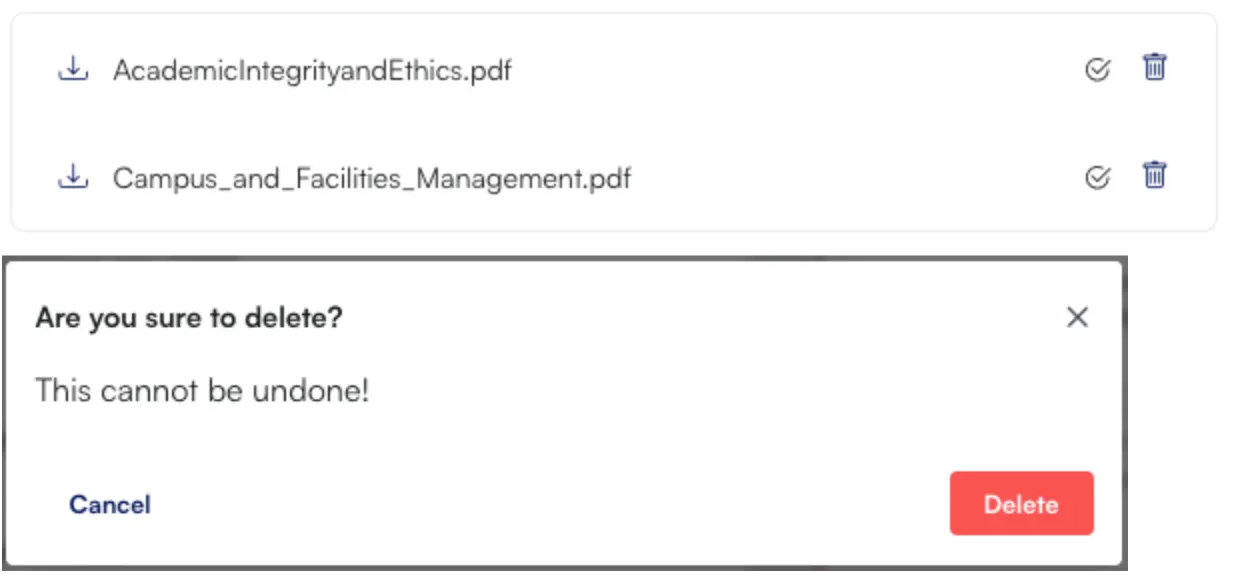
- Uploaded files are organized alphabetically and a search bar is available to aid easily locating files
Supported file types #
The following file types can added to LearnWise as knowledge sources. Each file must be less than 50 MB.
- PDFs
- Word documents
- PowerPoint presentations
- Excel sheets
- images
- audio files
- video files (processed for both spoken content and on-screen visuals)
Was this page helpful?
Still stuck?
Ask the LearnWise assistant. It answers from these guides.
Related guides
- Can I be selective around which website content I add to LearnWise?Build your assistant
- How are the multiple different knowledge sources prioritized?Build your assistant
- How can I add an FAQ to my knowledge?Build your assistant
- How can I use regex and URL filters to control web scraping in LearnWise?Build your assistant
- How do I add knowledge content that is hosted on external platforms?Build your assistant