

What is the CSAT survey and where does it appear?
The CSAT (Customer Satisfaction) survey collects a star rating and optional written comment from users at the end of a conversation. Ratings are surfaced in the Admin Inbox and Insights to help you track assistant quality over time.
1 min readUpdated
On this page
How users see it #
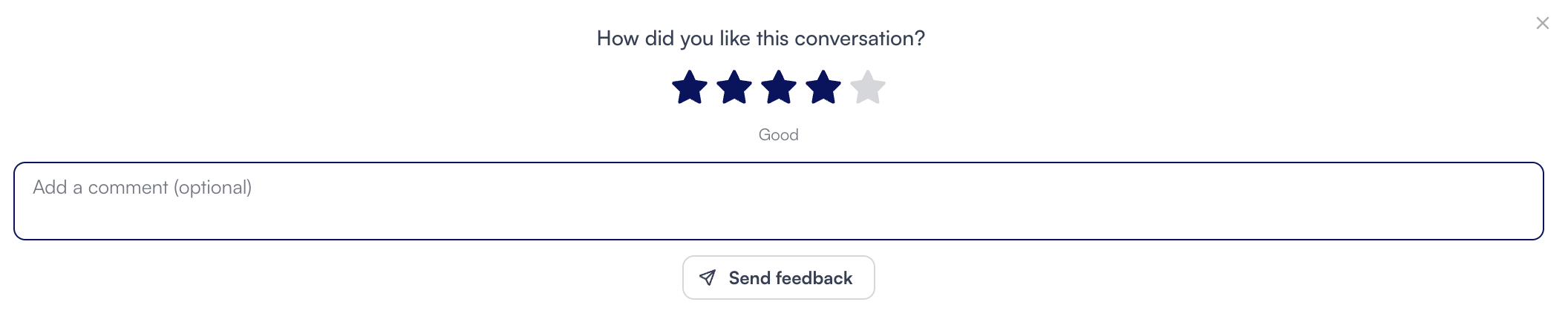
A survey widget appears inline in the chat and asks "How did you like this conversation?" Users select a star rating from 1 to 5:
| Score | Label |
|---|---|
| 1 | Poor |
| 2 | Fair |
| 3 | Acceptable |
| 4 | Good |
| 5 | Excellent |
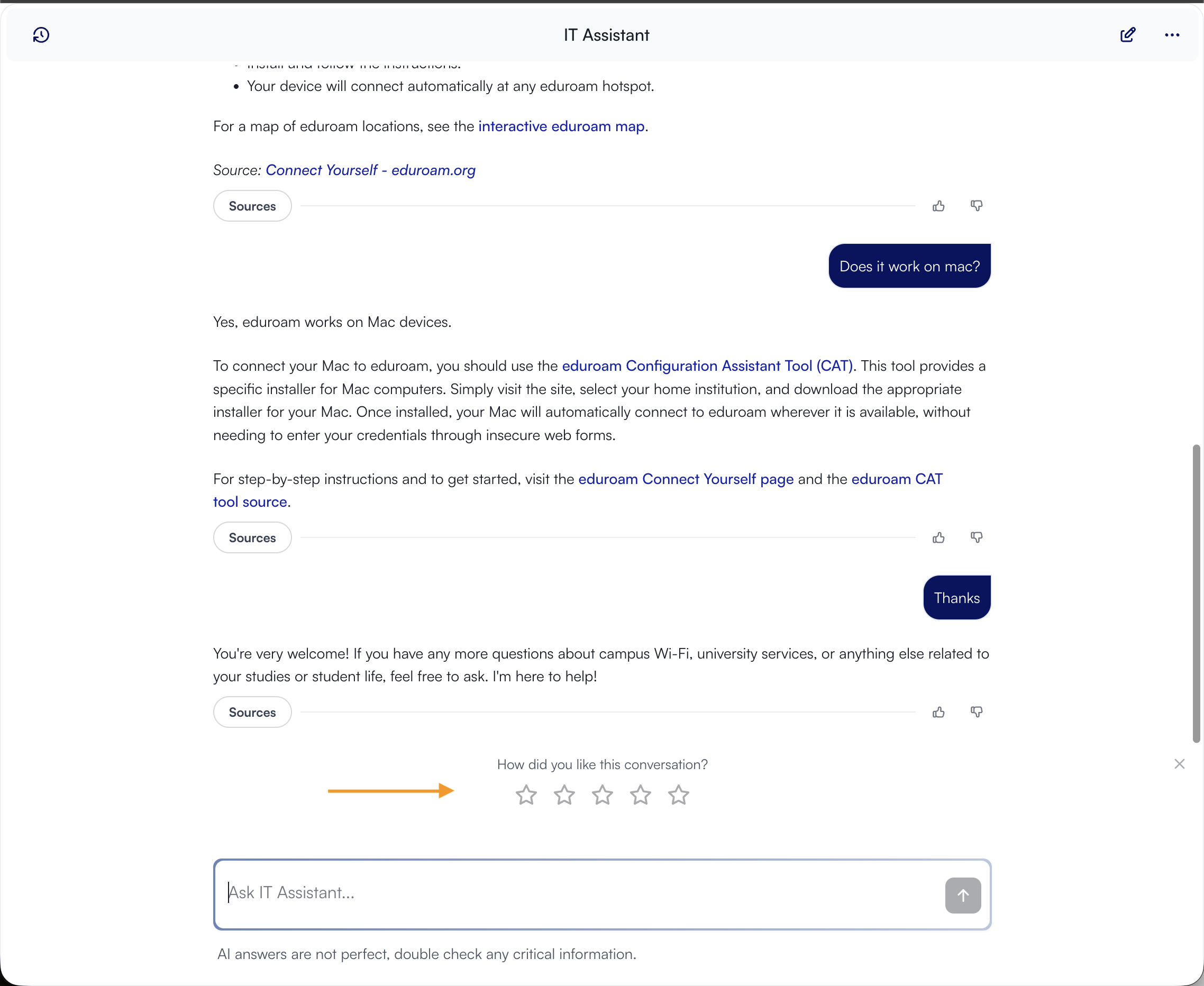
After selecting a score, users can optionally add a written comment before submitting.
When the survey appears #
The survey is triggered automatically in four situations:
- After an escalation — once a user submits a help desk escalation form
- After a thumbs down — when a user rates a response negatively
- During the conversation — after a user sends a message, if the conversation meets the eligibility criteria
- On chat close — when the user closes the chat window
Where ratings appear for admins #
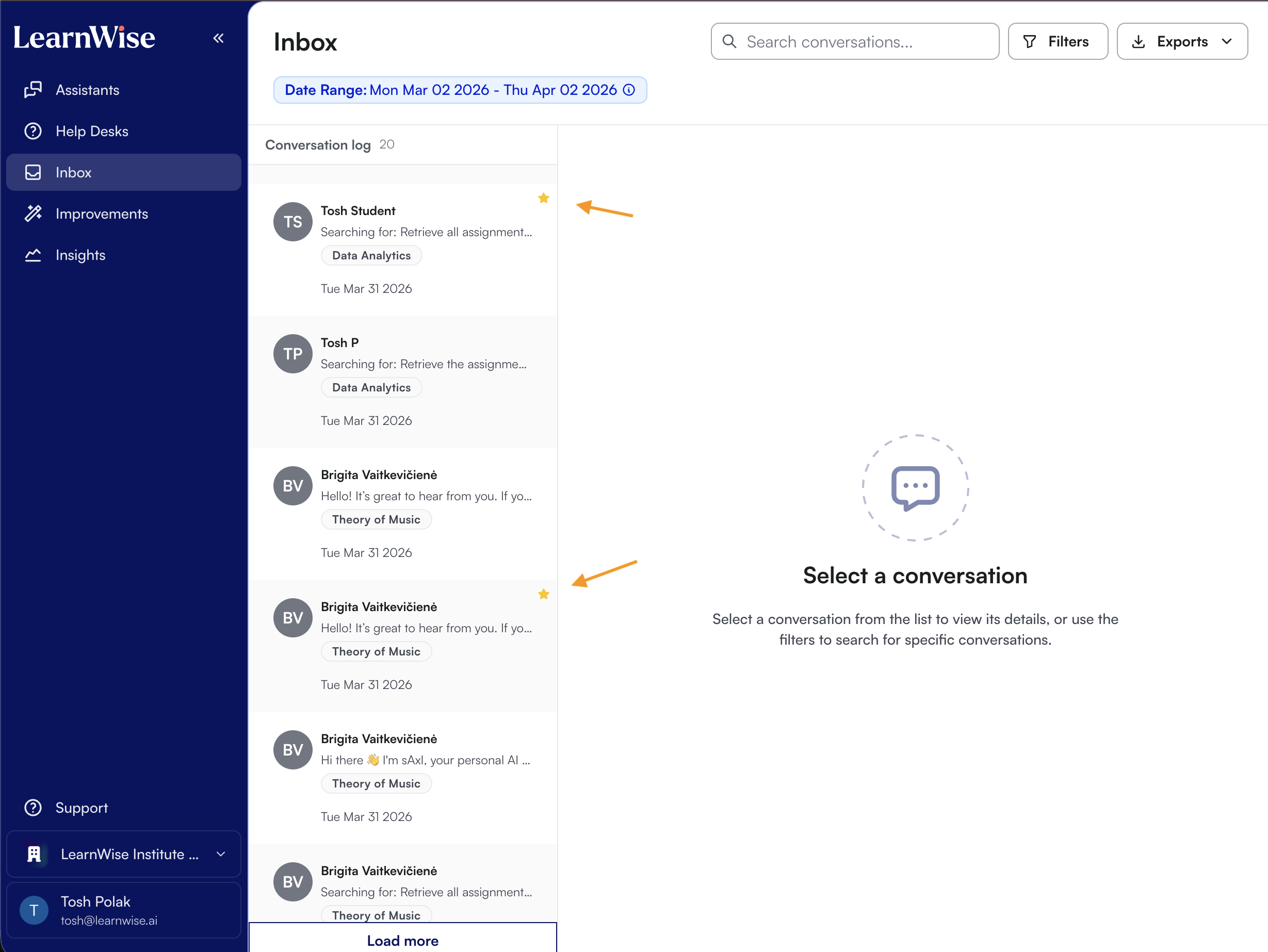
Inbox — list view
Conversations where a user submitted a rating show a yellow star icon ⭐ in the top-right corner of the conversation row.
Inbox — conversation detail
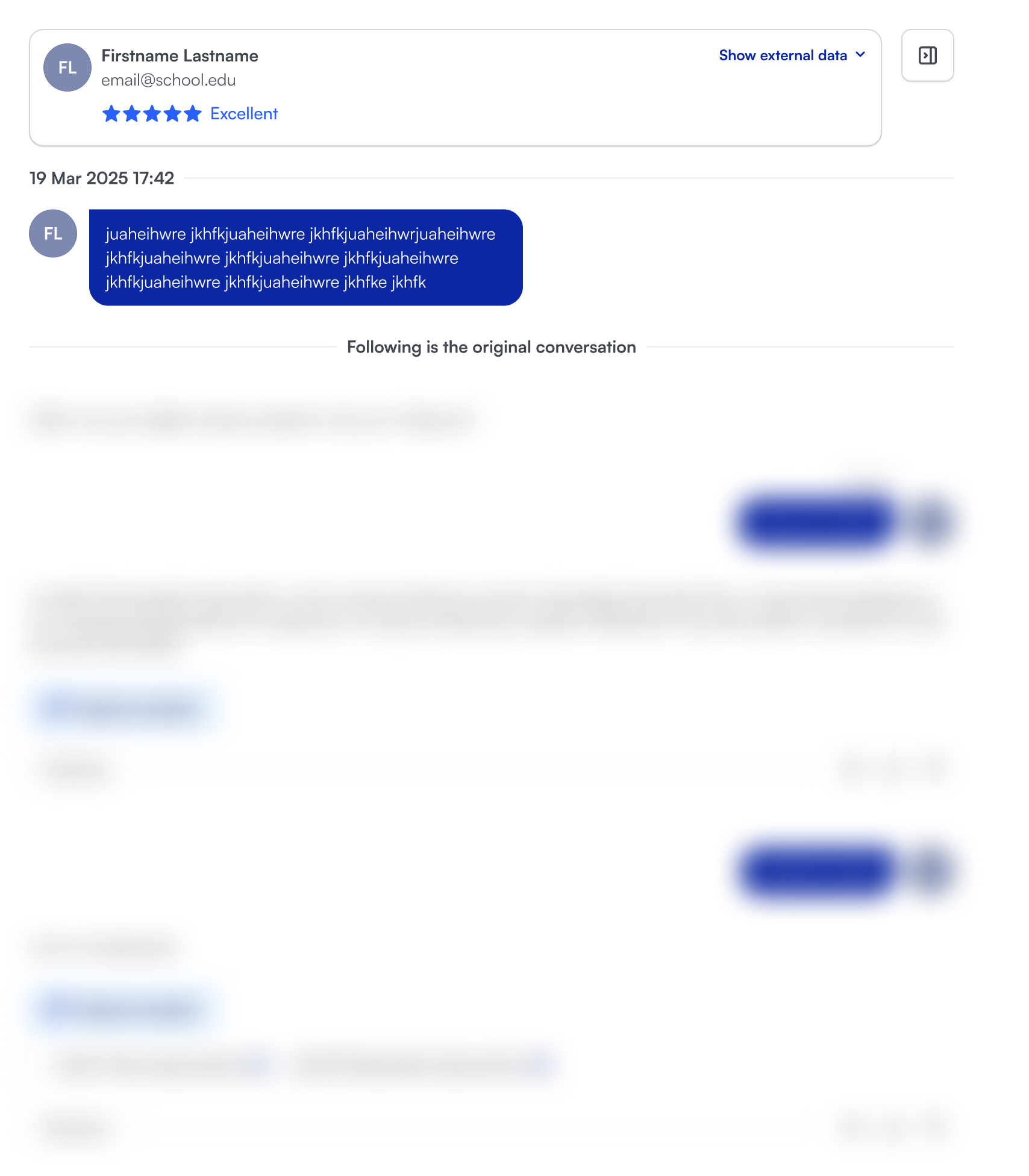
Open a conversation to see the full star rating with its label, and a tooltip showing the written comment if one was provided.
Insights
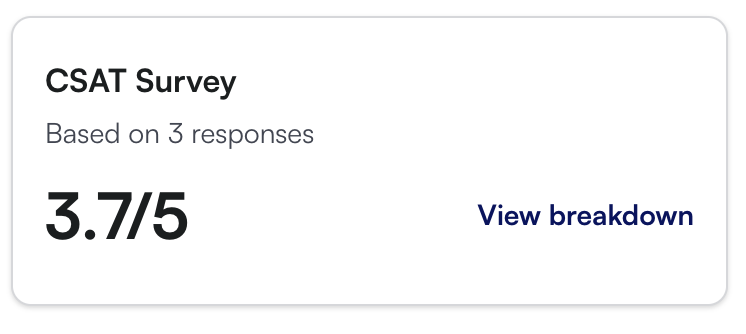
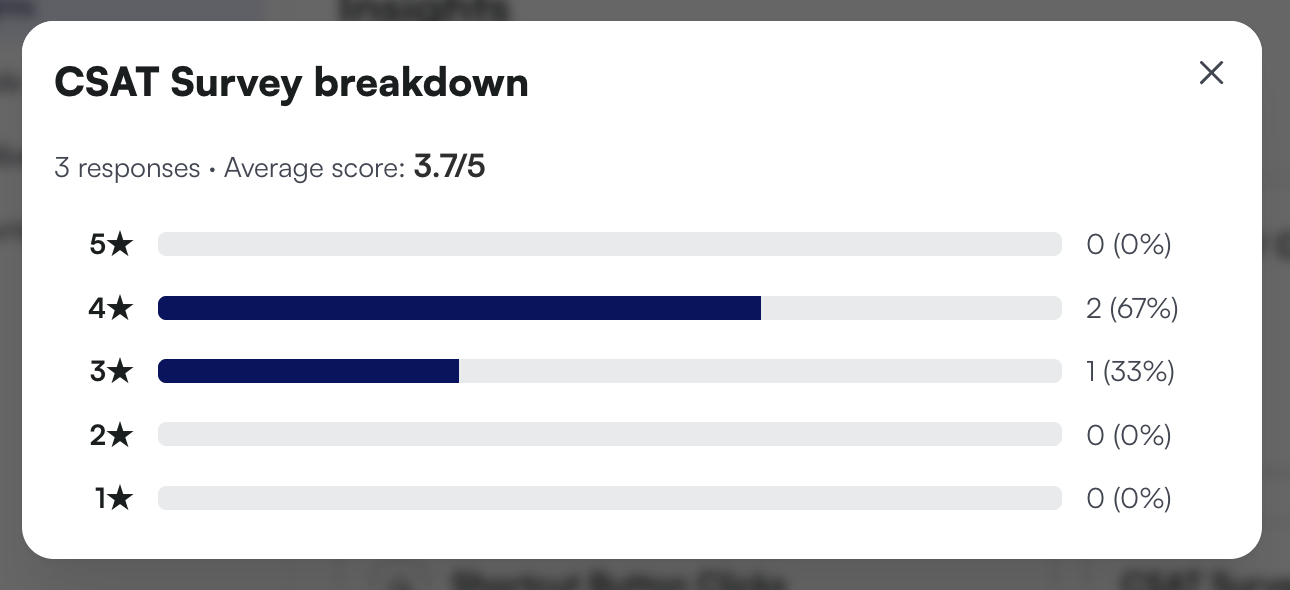
A CSAT Survey block displays the average score across the selected time period, along with the total number of responses. Click View breakdown for a score distribution across all five ratings.
Configuration #
The CSAT survey is disabled by default and must be enabled per assistant.
- Go to your assistant's General tab
- Scroll to the Configuration section
- Toggle on Customer satisfaction survey
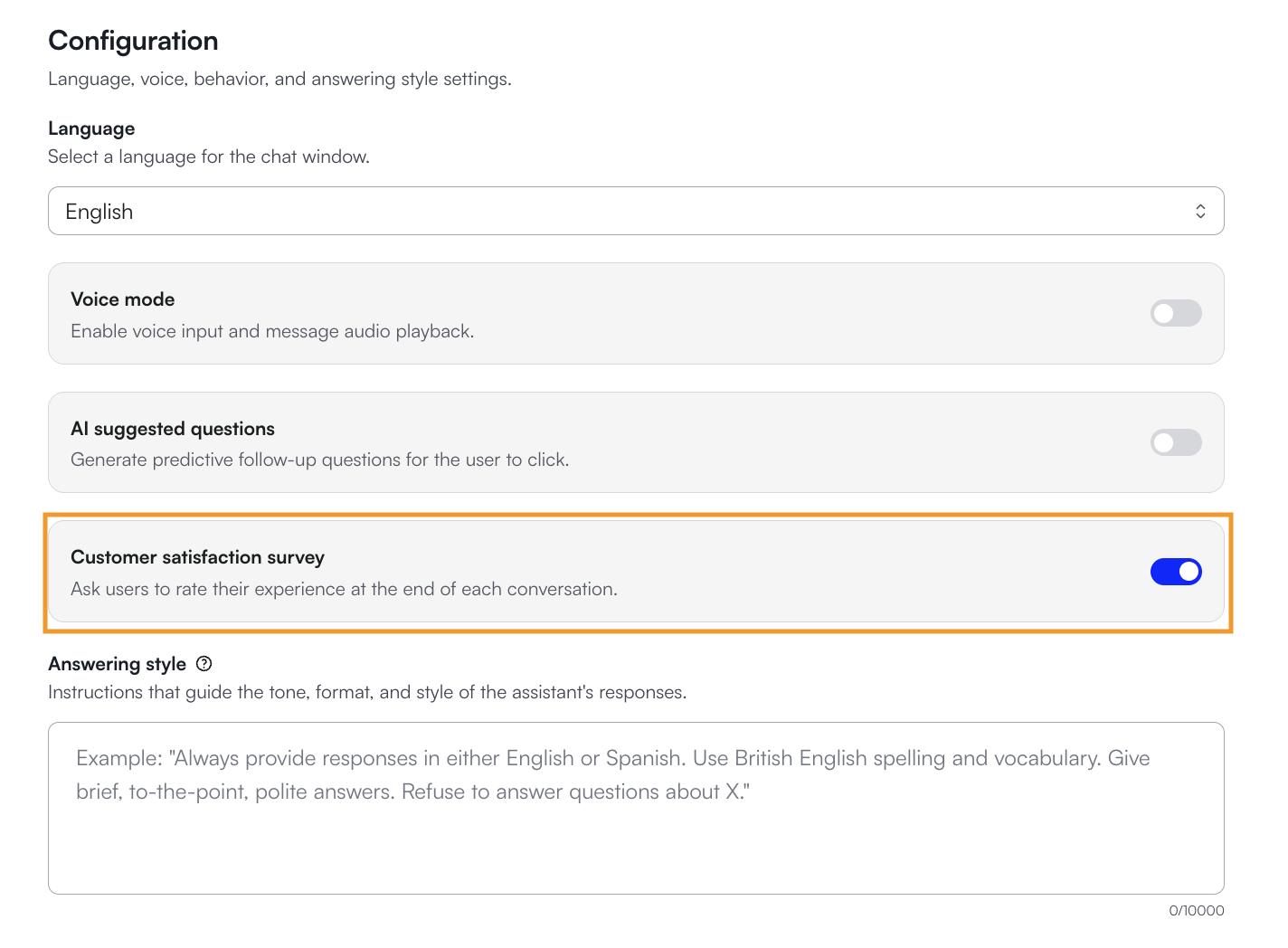
Once enabled, the survey will appear automatically based on the trigger conditions above.
Still stuck?
Ask the LearnWise assistant. It answers from these guides.
Related guides
- How do I activate and use voice mode in the assistant?Build your assistant
- How do AI suggested questions work?Build your assistant
- How do I change the brand color of your assistant?Build your assistant
- How do I change the launch/close button of the assistant?Build your assistant
- How do I change the nickname of the assistant?Build your assistant