

How frequently are my institution-specific knowledge sources updated?
LearnWise is dedicated to keeping the AI assistant's knowledge up to date, especially when it comes to custom knowledge sources like your institution's websites.
2 min readUpdated
On this page
Standard Update Process - Weekly Updates #
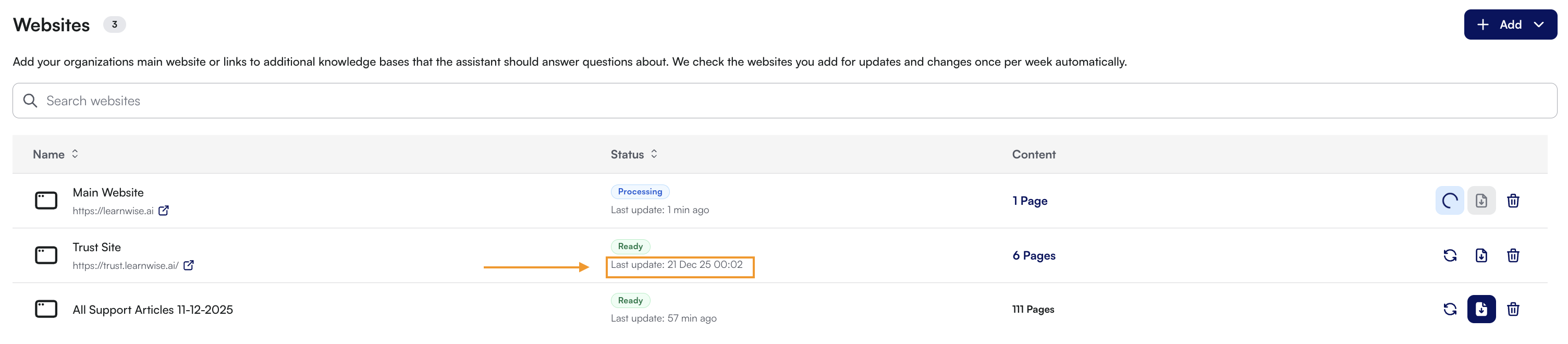
By default, LearnWise automatically checks and updates content from custom knowledge sources like websites on a rolling, weekly basis. All content is scanned and IF an update is detected, that knowledge source will be included in the update. This systematic update process ensures that any modifications, whether they are minor updates or major content overhauls, are captured and reflected in the assistant's responses. The most recent date is displayed next to the knowledge source in your LearnWise dashboard
Course content updates #
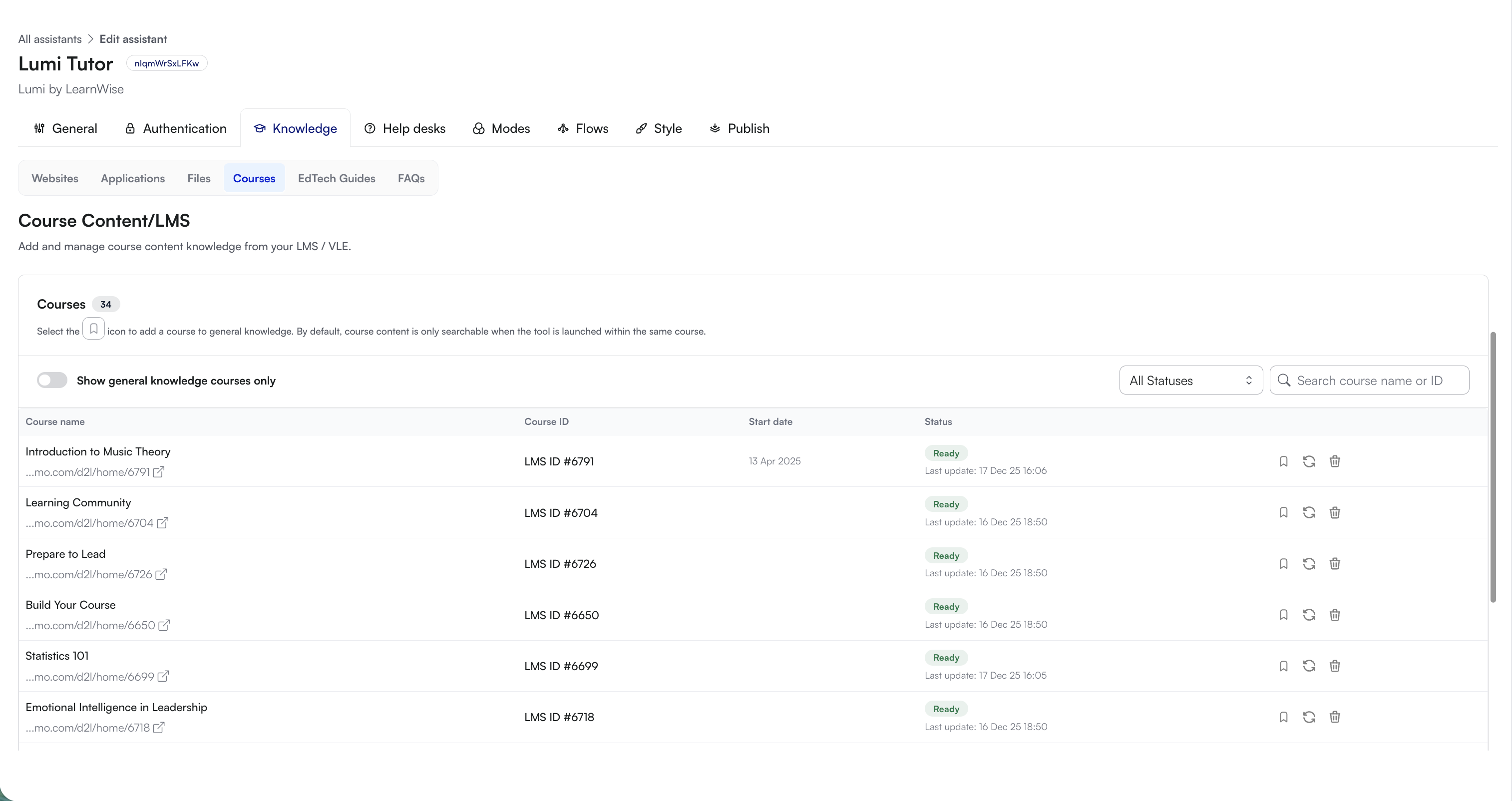
If your institution uses the LearnWise assistant as an integrated add-in within your LMS or VLE, course-specific content is automatically checked for updates once per week. LearnWise will only update a course’s content if:
- At least one user has launched the assistant within the past 7 days. If no interaction occurs during the 7-day window, the course is excluded from that week’s update cycle.
All course updates can be viewed by navigating to the Knowledge tab > Courses in your LearnWise dashboard
Instant Update Procedure #
If there is a need to update the knowledge on a more immediate basis, a manual update can be triggered on dynamic knowledge sources such as websites and SharePoint sites, by clicking the update button on the relevant knowledge source.
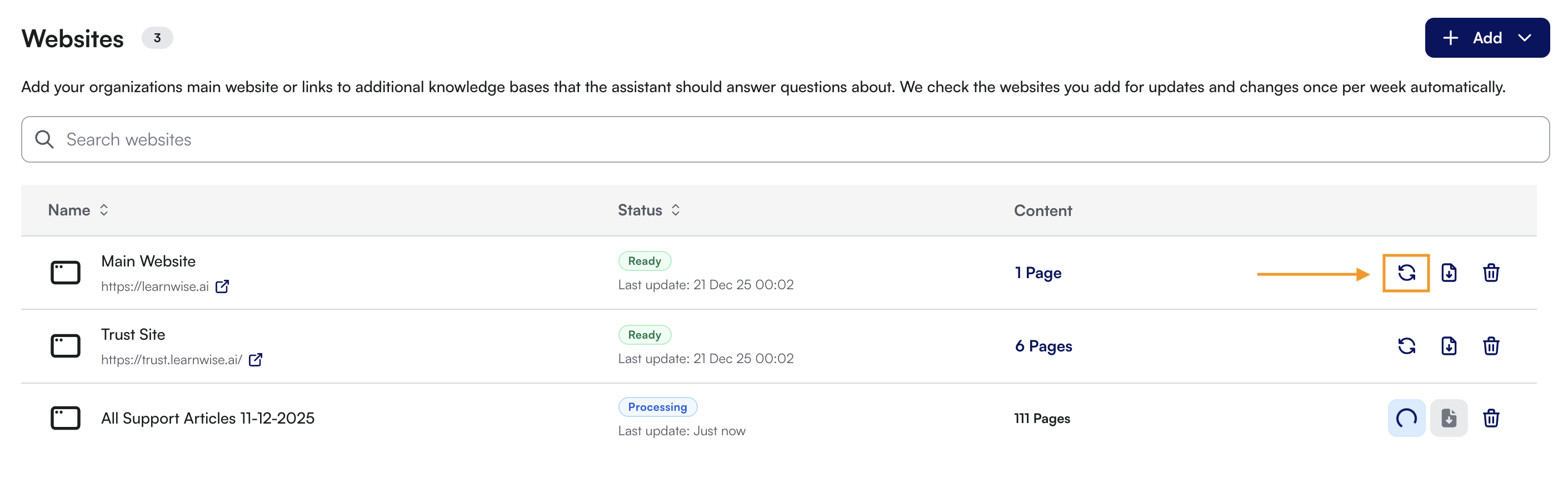
Running this update will usually take somewhere between 30-60 minutes, but could take longer for larger sources. Should the updated information only reside on one webpage for example, you can also choose to add this as an individual knowledge source, which will significantly reduce the time required to update the knowledge.
With regards, to static knowledge, such as PDFs and word documents; should new knowledge be added to these, it is necessary to upload the newest version manually and delete the older version to ensure knowledge stays up to date. We recommend you only add PDFs when that knowledge is not subject to change. An alternative is to host this knowledge in one of the external applications that LearnWise integrates with in order to ensure dynamic updates are captured.
Still stuck?
Ask the LearnWise assistant. It answers from these guides.
Related guides
- Can I be selective around which website content I add to LearnWise?Build your assistant
- How are the multiple different knowledge sources prioritized?Build your assistant
- How can I add an FAQ to my knowledge?Build your assistant
- How can I use regex and URL filters to control web scraping in LearnWise?Build your assistant
- How do I add knowledge content that is hosted on external platforms?Build your assistant