

How to connect my assistant to a help desk?
A short guide to linking existing Help Desks to your LearnWise assistants so user questions can be escalated to the right support channels.
1 min readUpdated
Note: If you still need to set up a help desk(s), please refer to this article.
Connecting Help Desks to LearnWise Assistants #
Connecting a help desk to an assistant in LearnWise is a straightforward process that aligns your support system, ensuring that users can escalate their inquiries to the appropriate support channels. To connect your help desks to an assistant, follow the instructions below.
-
Log into the LearnWise admin panel at https://admin.learnwise.ai.
- Click "Edit" on the assistant you want to manage.
- Under "Assistant" settings, click on "Help Desks" and click the toggle to activate the help desk(s) you'd like to connect.
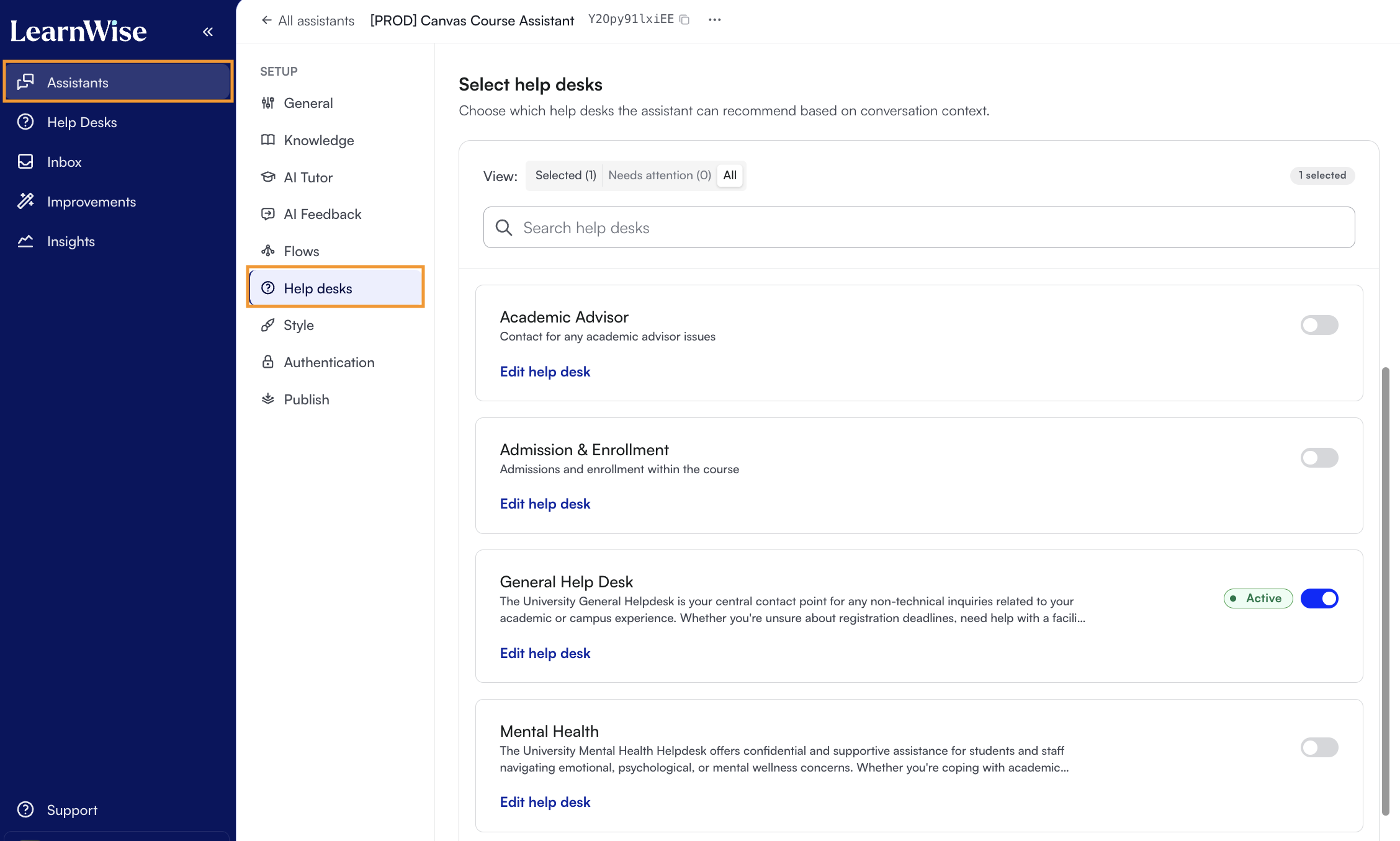
- If you have connected multiple help desks, you can rearrange the order in which they appear by clicking "Order".

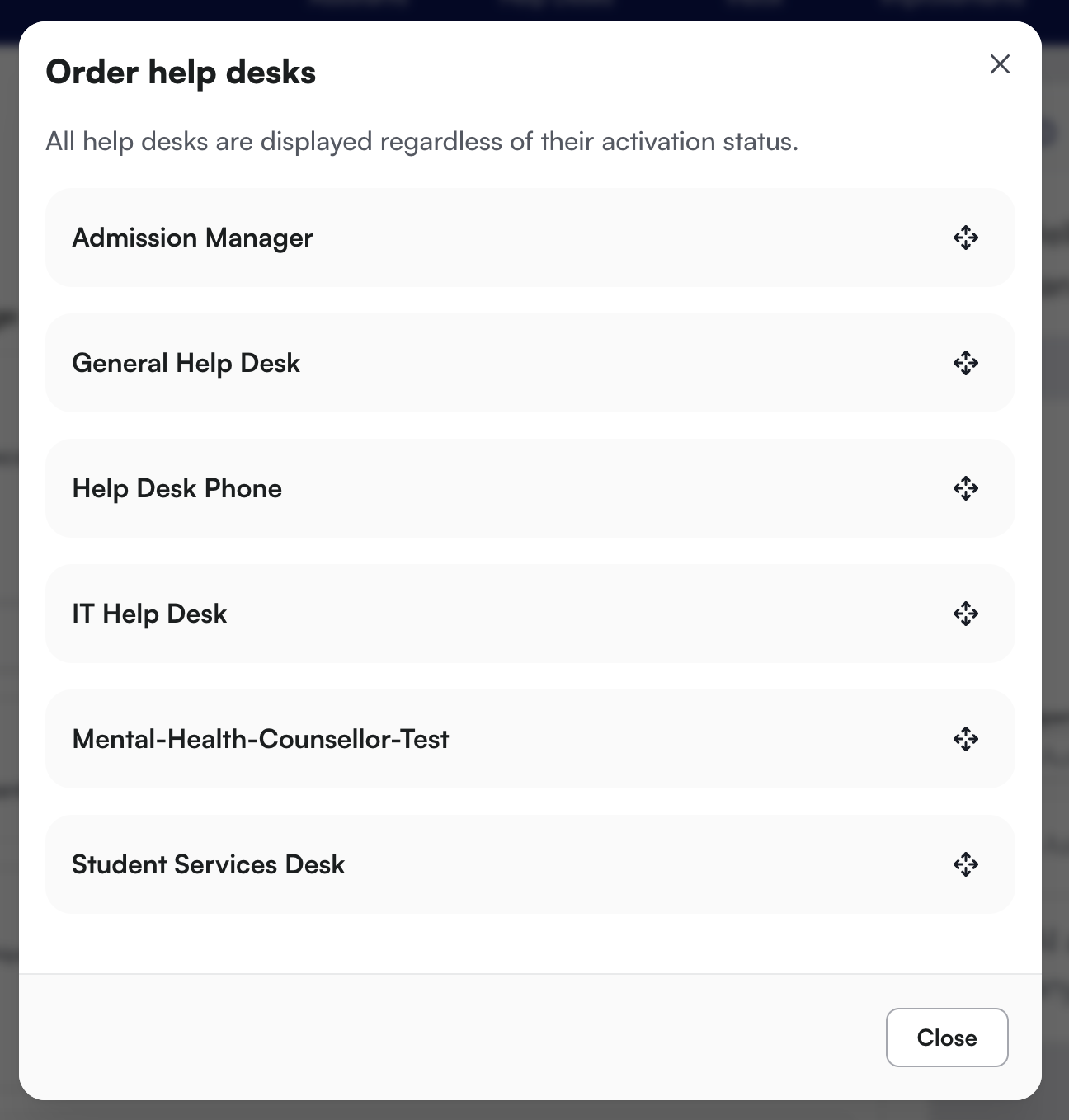
Remember, each assistant can be linked to multiple help desks, providing flexibility and ensuring that specific user queries are directed to the correct support teams.
Still stuck?
Ask the LearnWise assistant. It answers from these guides.
Related guides
- How can I integrate a ticketing system?Build your assistant
- How do I create a new Help Desk?Build your assistant
- How do I customize the form fields for the escalation/help desk?Build your assistant
- How do I integrate Salesforce ticketing system?Build your assistant
- How do I integrate ServiceNow ticketing system?Build your assistant