

How do I integrate with Halo ticketing system?
LearnWise integrates seamlessly with Halo through a plugin, enabling support cases to be created directly from LearnWise and routed to the relevant Halo channels. These cases can pre-populate metadata, enhancing workflow efficiency.
1 min readUpdated
On this page
Create an application password #
- Log in to your Halo instance as an admin
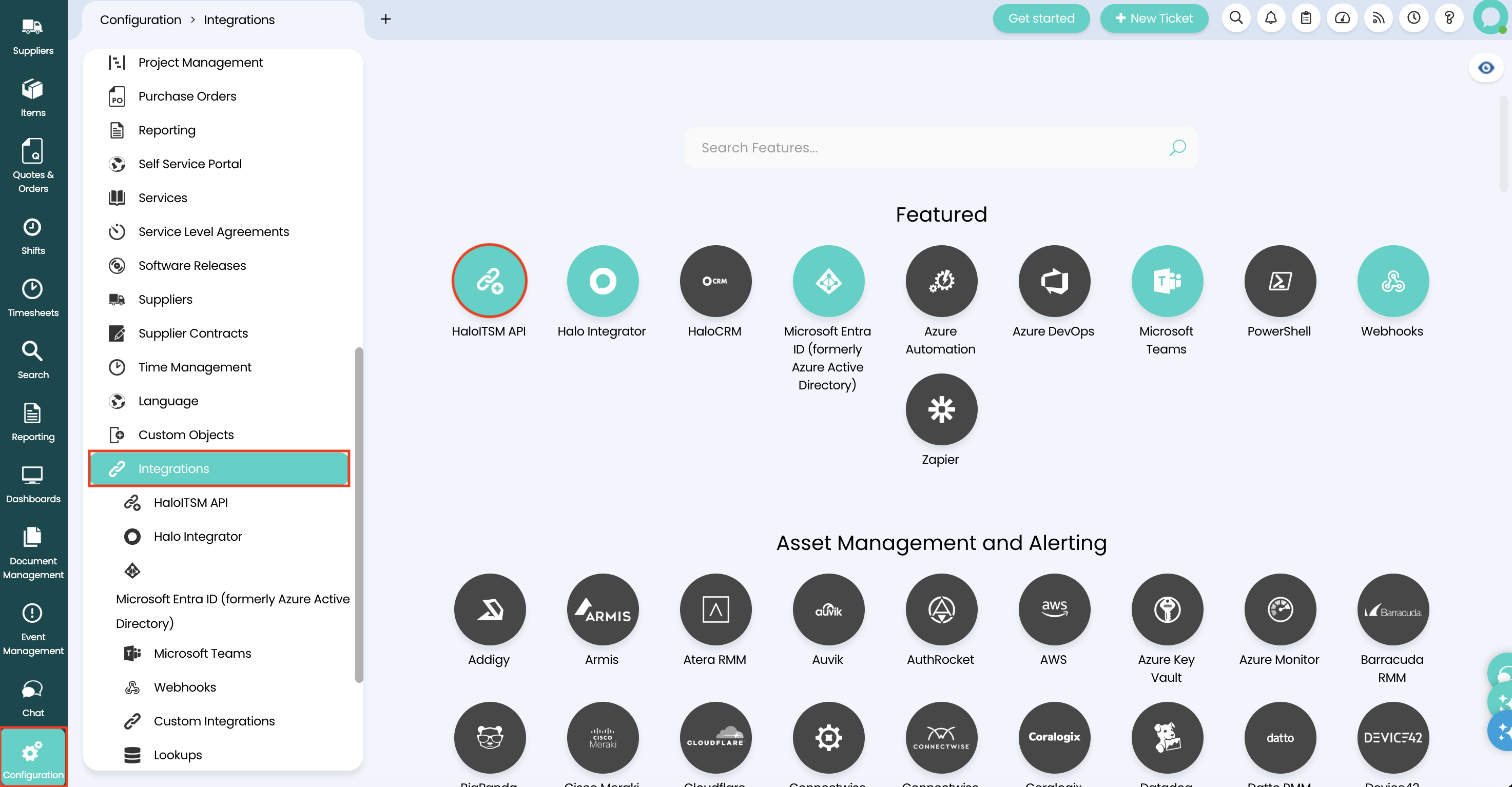
- From the dashboard, navigate to Configuration > Integrations >HaloISTM API
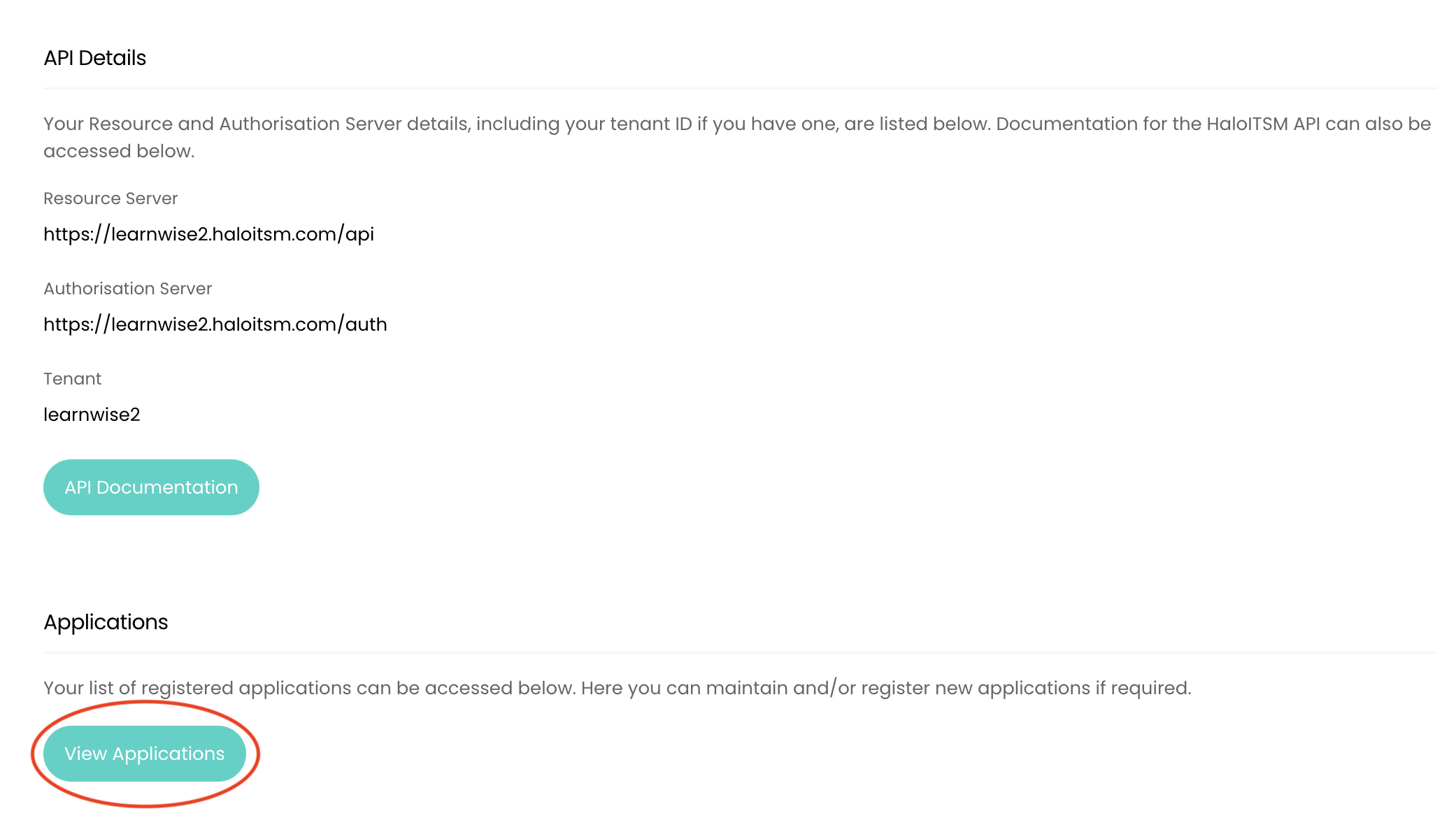
- Under the Applications subheading, click "View Applications"
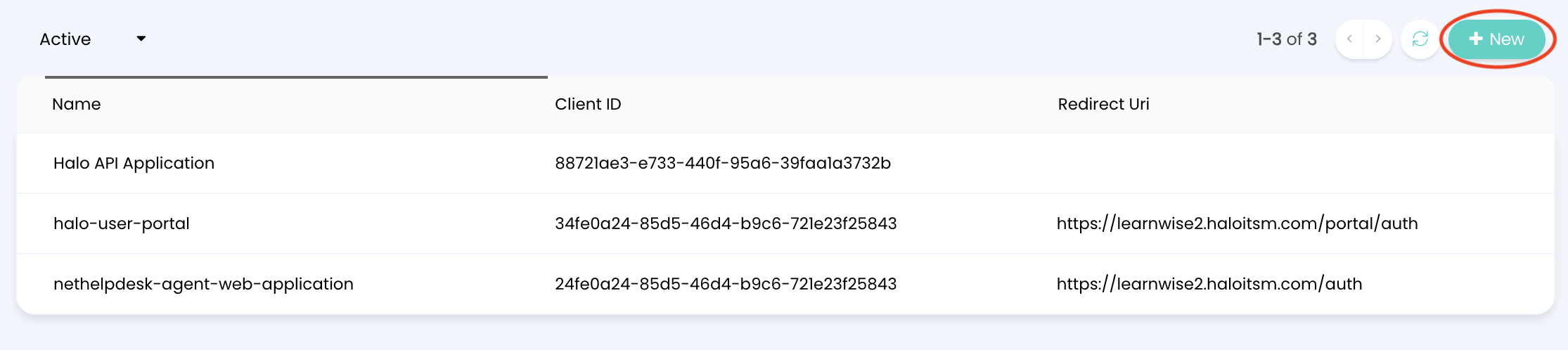
- Click "New" to create a new API application
- Fill out the new API Applications details, and be sure to select "Client ID and Secret (Services)" under Authentication Method
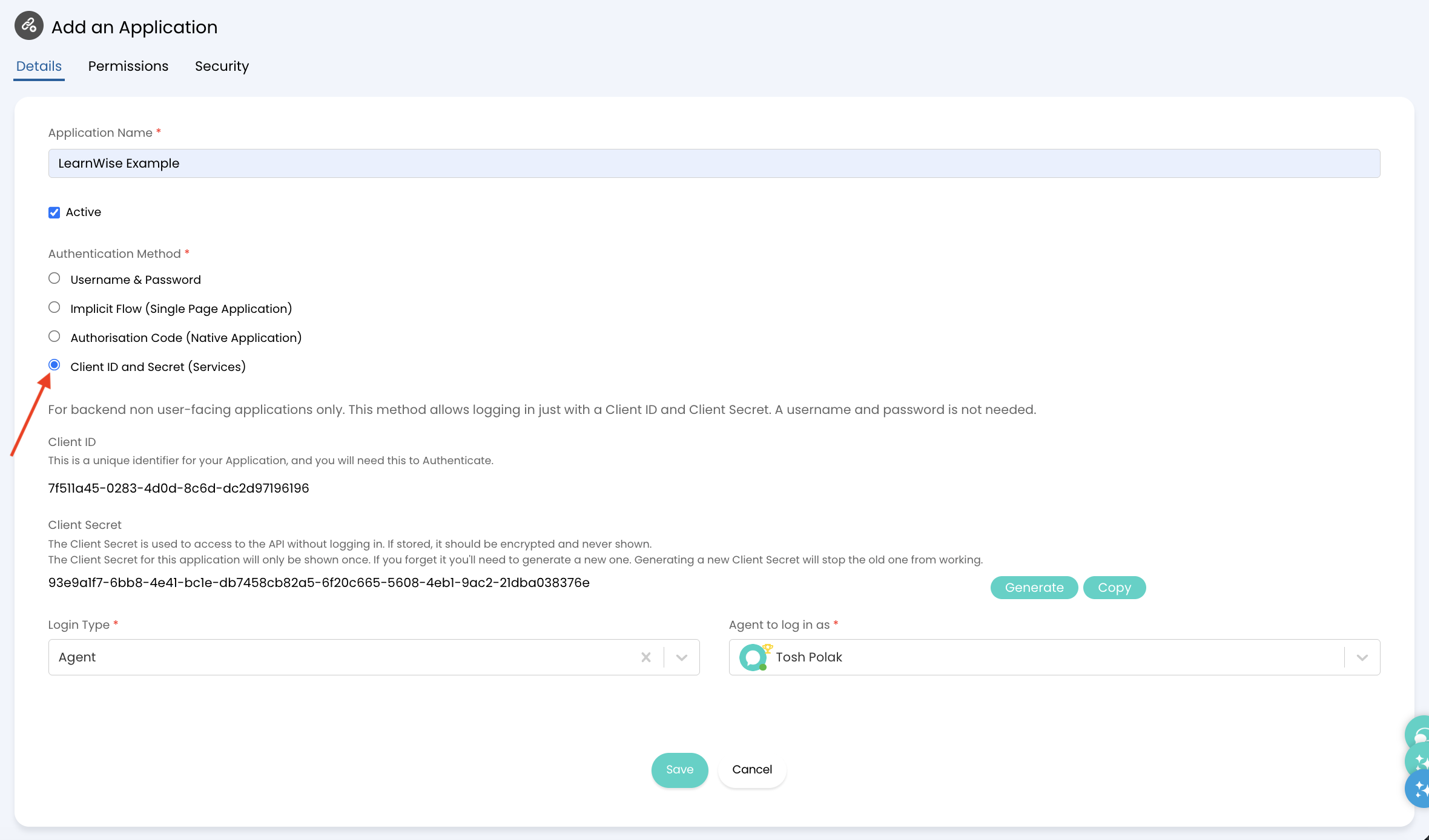
- Click "Save"
Configure the connection in LearnWise #
In order to complete the integration:
- Navigate to the helpdesk you want to set up the integration for.
- In the integration setup panel, enter the following details:
- Name of Integration
- Base URL
- Username
- API key (paste the application password from the previous section)
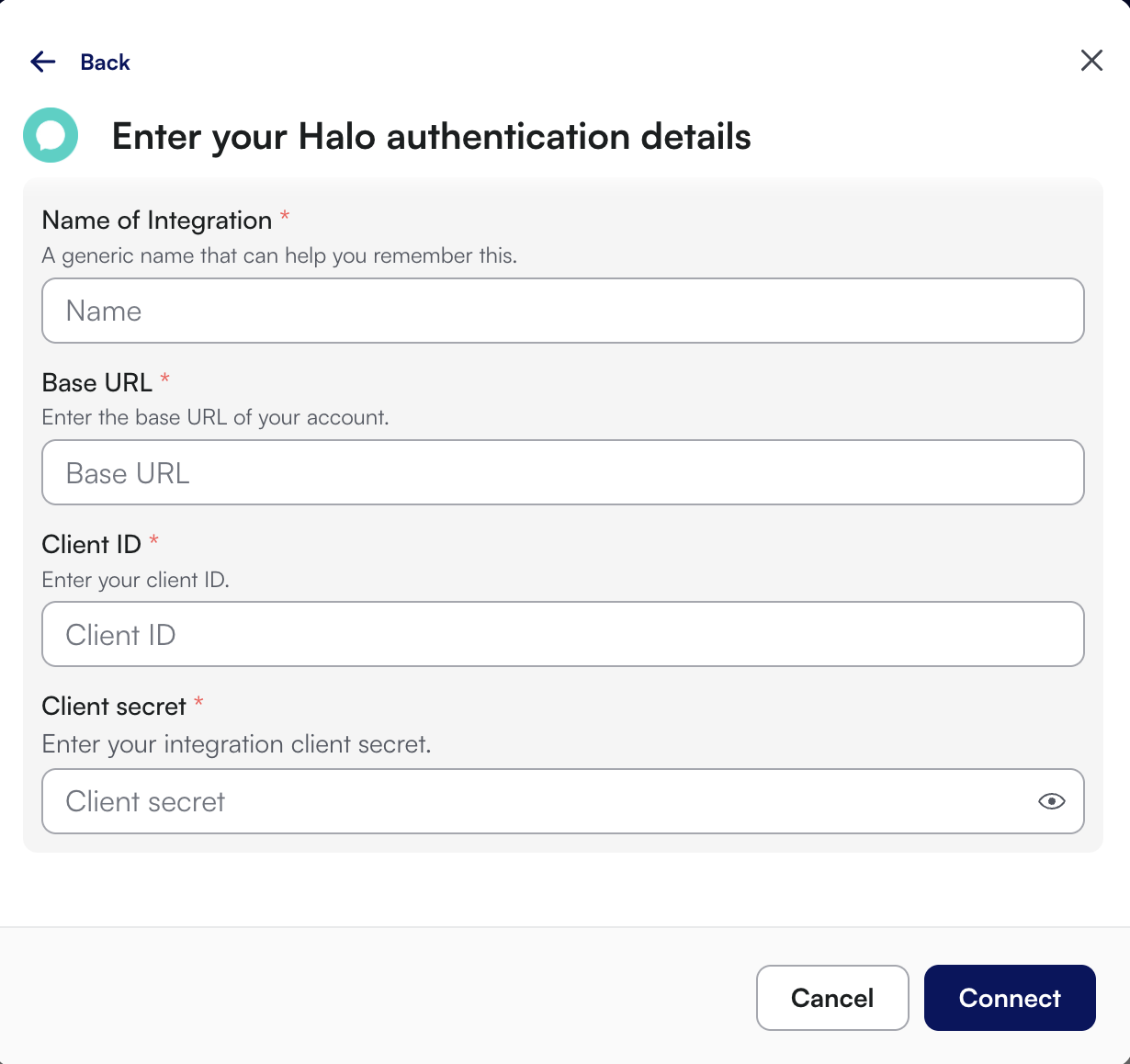
- Click on ‘Connect’
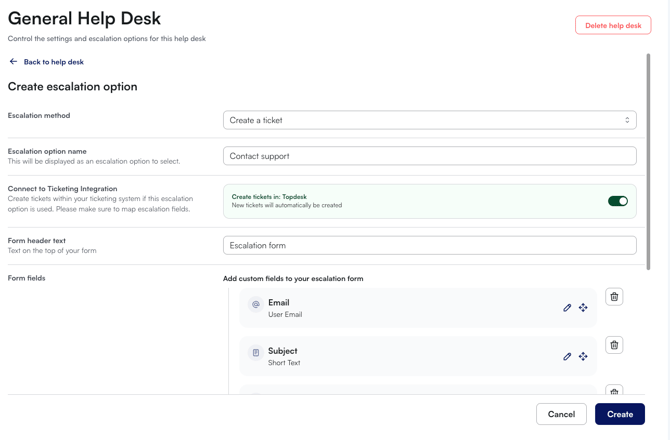
- Add an escalation option with the type “Create a ticket”
-
Locate the option labeled Connect to Ticketing Integration
-
Toggle ON the option for Halo.
-
- Find and click Add Form Field.
- Here, you can map which fields you would like to be included in the ticket (e.g., subject, description, priority).
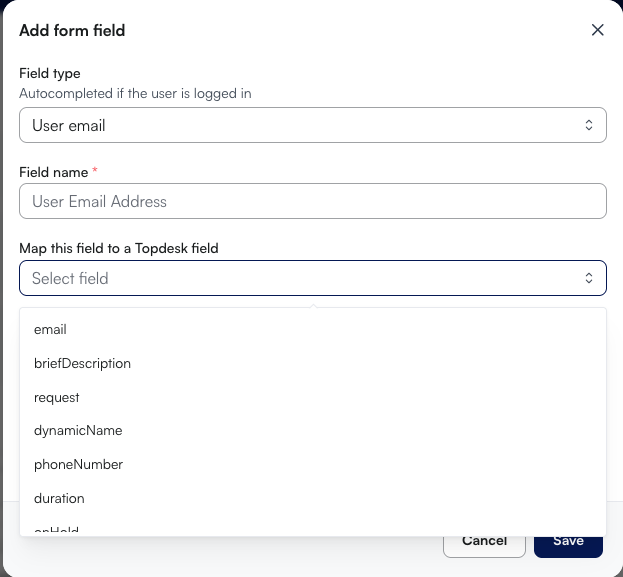
- Here, you can map which fields you would like to be included in the ticket (e.g., subject, description, priority).
Was this page helpful?
Still stuck?
Ask the LearnWise assistant. It answers from these guides.
Related guides
- How can I integrate a ticketing system?Build your assistant
- How do I create a new Help Desk?Build your assistant
- How do I customize the form fields for the escalation/help desk?Build your assistant
- How do I integrate Salesforce ticketing system?Build your assistant
- How do I integrate ServiceNow ticketing system?Build your assistant