

How do I publish an assistant on Eduframe?
LearnWise integrates with Eduframe to bring AI-powered support directly into your participant portal. The LearnWise assistant appears in the bottom-right corner of the Eduframe interface, providing instant support to learners as they browse their current, future, and past enrolments.
1 min readUpdated
On this page
Copy your Assistant ID from LearnWise #
- Log in to your LearnWise account
- Navigate to the assistant you want to integrate with Eduframe and locate your Assistant ID

- Click on the Assistant ID to copy it
For more information on how to create an assistant, click here.
Configure the integration in Eduframe #
- Log in to your Eduframe instance as an admin
- From the dashboard, navigate to Settings >Account Settings
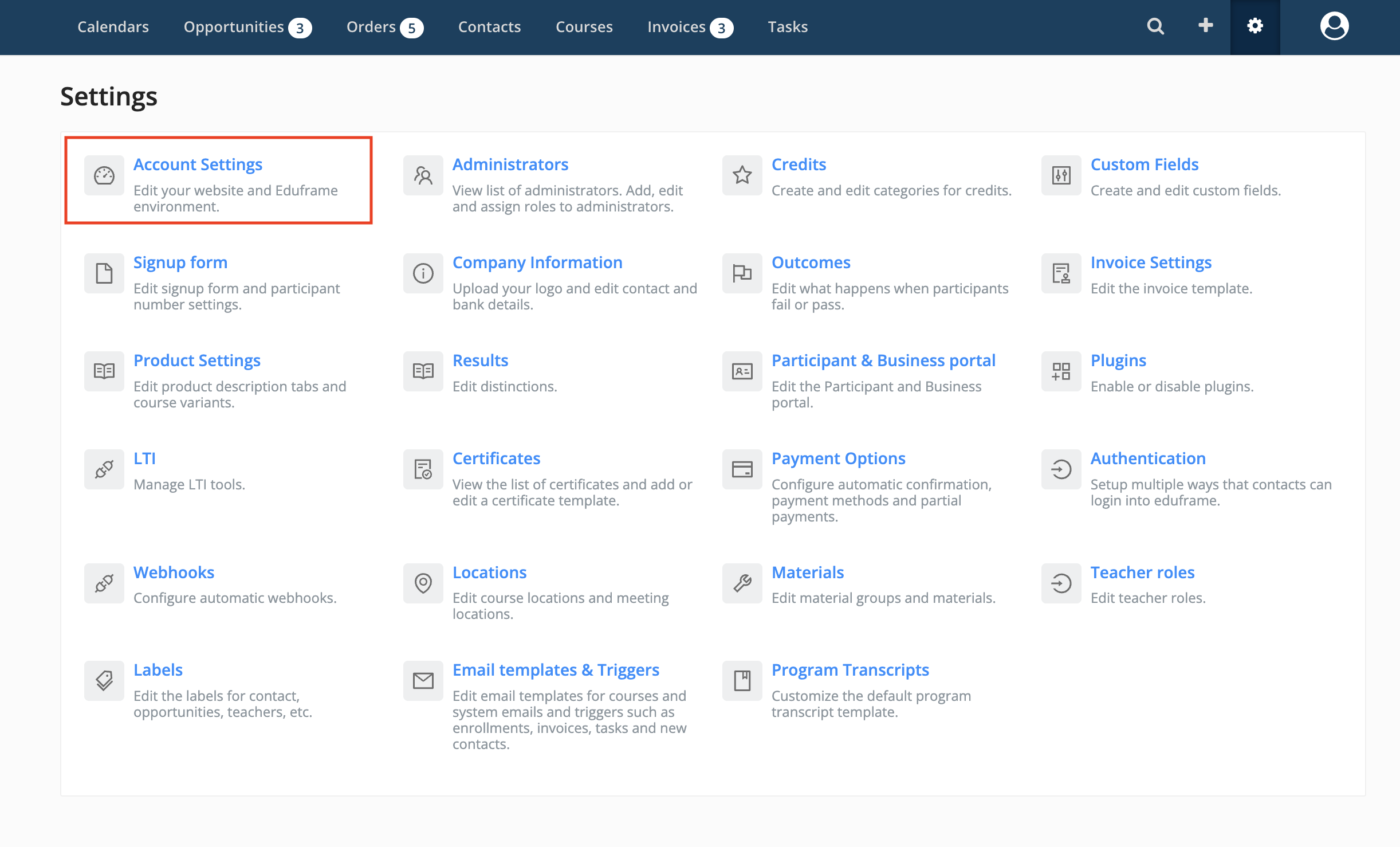
- Scroll down to the field labeled "Learnwise assistant" and paste the Assistant ID you copied from LearnWise into this field
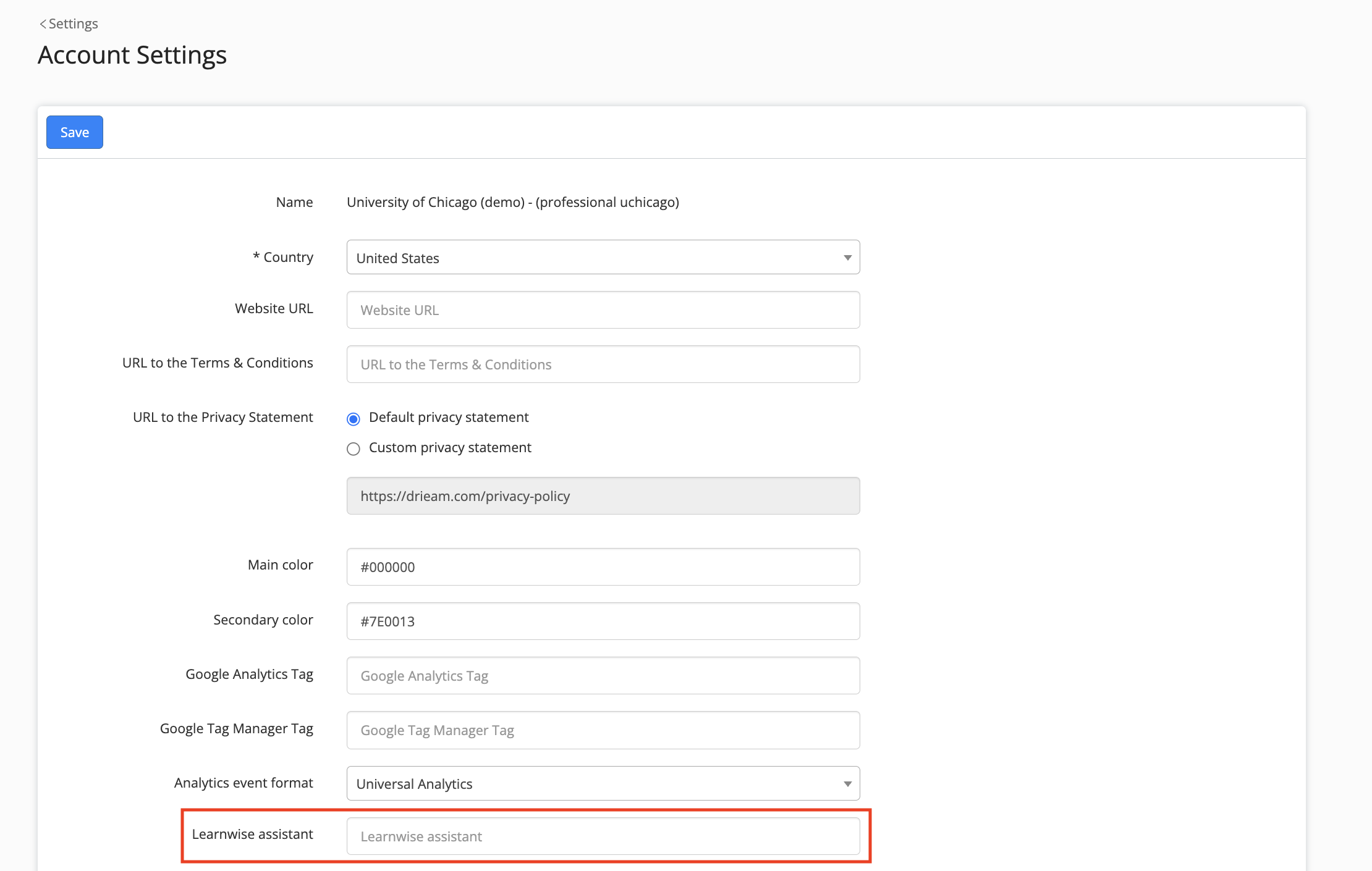
- Click Save
Your LearnWise assistant will now appear on every page of your Eduframe participant portal, ready to help learners with course discovery, enrolment questions, and support throughout their journey.
Was this page helpful?
Still stuck?
Ask the LearnWise assistant. It answers from these guides.
Related guides
- Can I be selective around which website content I add to LearnWise?Build your assistant
- How are the multiple different knowledge sources prioritized?Build your assistant
- How can I add AI Student Tutor within Blackboard?Build your assistant
- How can I add an FAQ to my knowledge?Build your assistant
- How can I integrate a ticketing system?Build your assistant