

How do I integrate with HubSpot ticketing system?
A guide to integrating HubSpot with LearnWise help desks so chat escalations can create HubSpot tickets by installing the LearnWise app and mapping form fields.
1 min readUpdated
LearnWise integrates seamlessly with HubSpot, enabling tickets to be created directly from LearnWise and routed to the relevant help desk channel. These cases can pre-populate metadata, enhancing workflow efficiency. To get started, simply install the LearnWise app in your HubSpot account.
Connect HubSpot to LearnWise #
- Navigate to a help desk that you would like to integrate HubSpot ticketing system to in the LearnWise admin panel (if it doesn’t already exist, you can create one in the admin dashboard)
- Click on ‘’View all Ticketing Integrations’’ and navigate to ‘’HubSpot’’
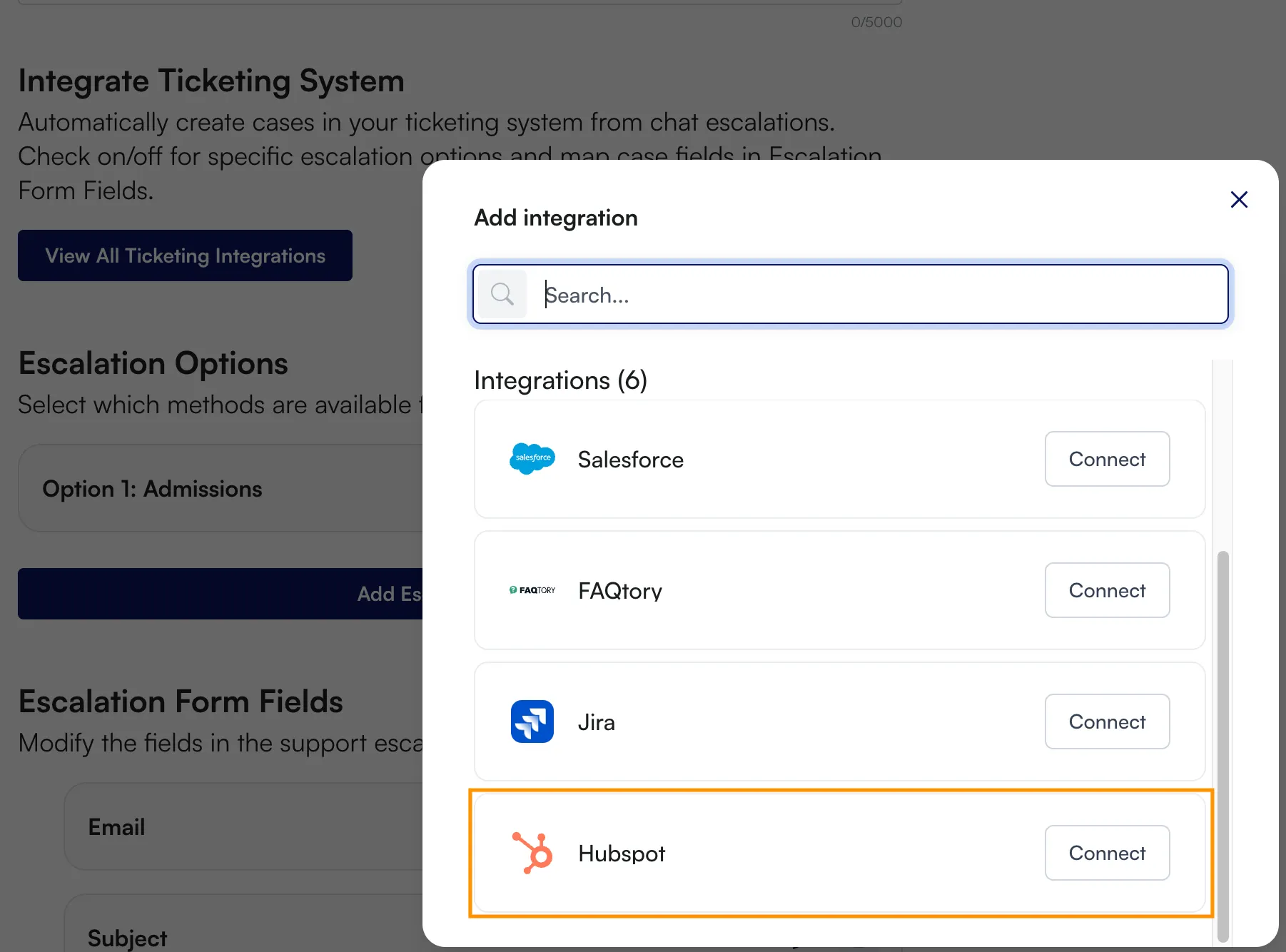
- Click on ‘’Connect’’
- Choose the account you would like to connect to LearnWise
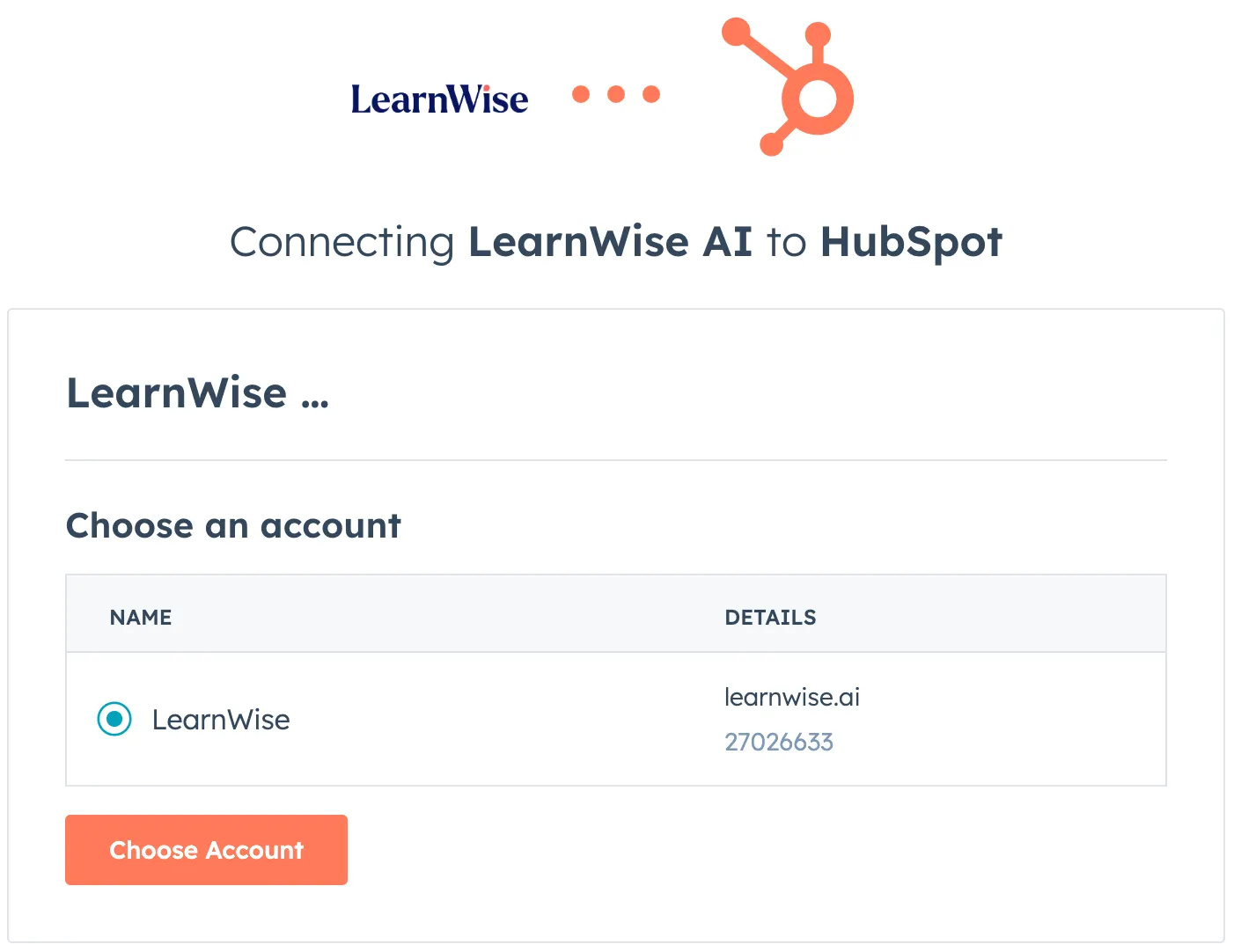
- The connection will be made and the connection will be shown in the LearnWise dashboard
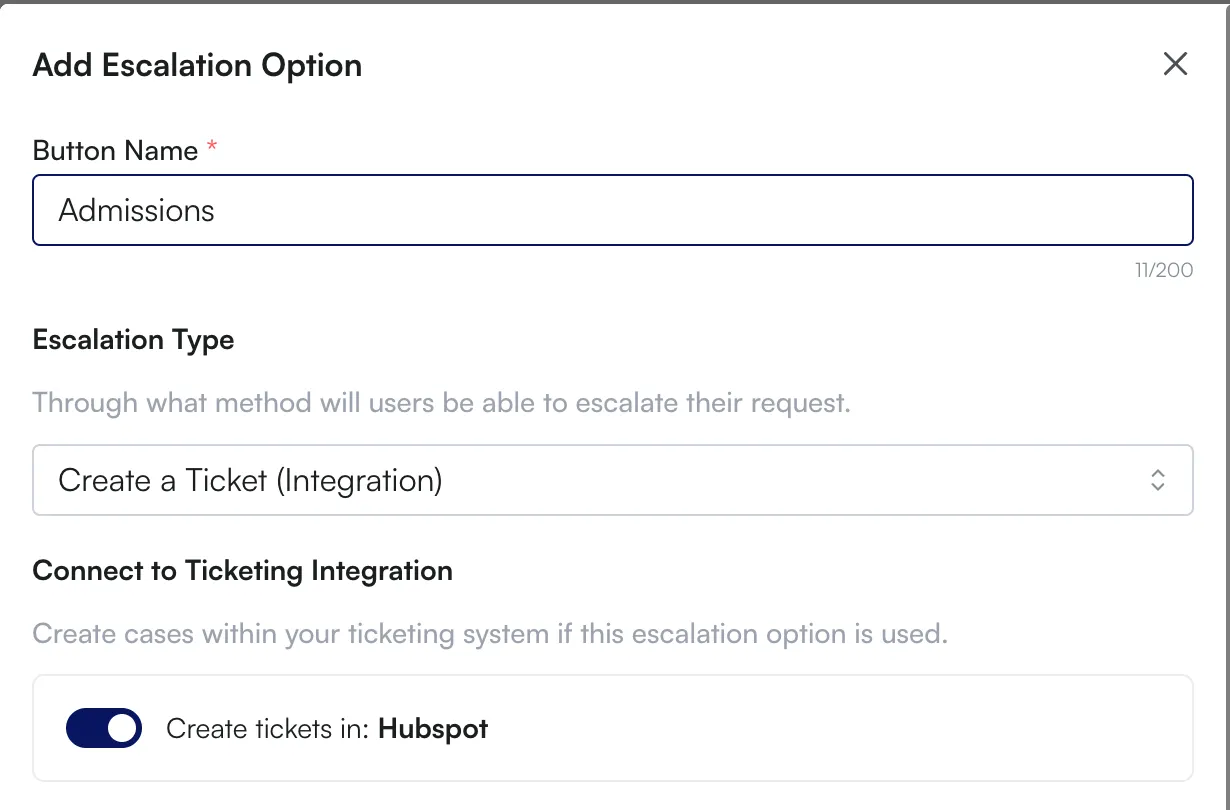
- Add an escalation option in the dashboard and choose ‘’Create a ticket (Integration)’’ from the dropdown menu
- Toggle the Create tickets in: HubSpot to on
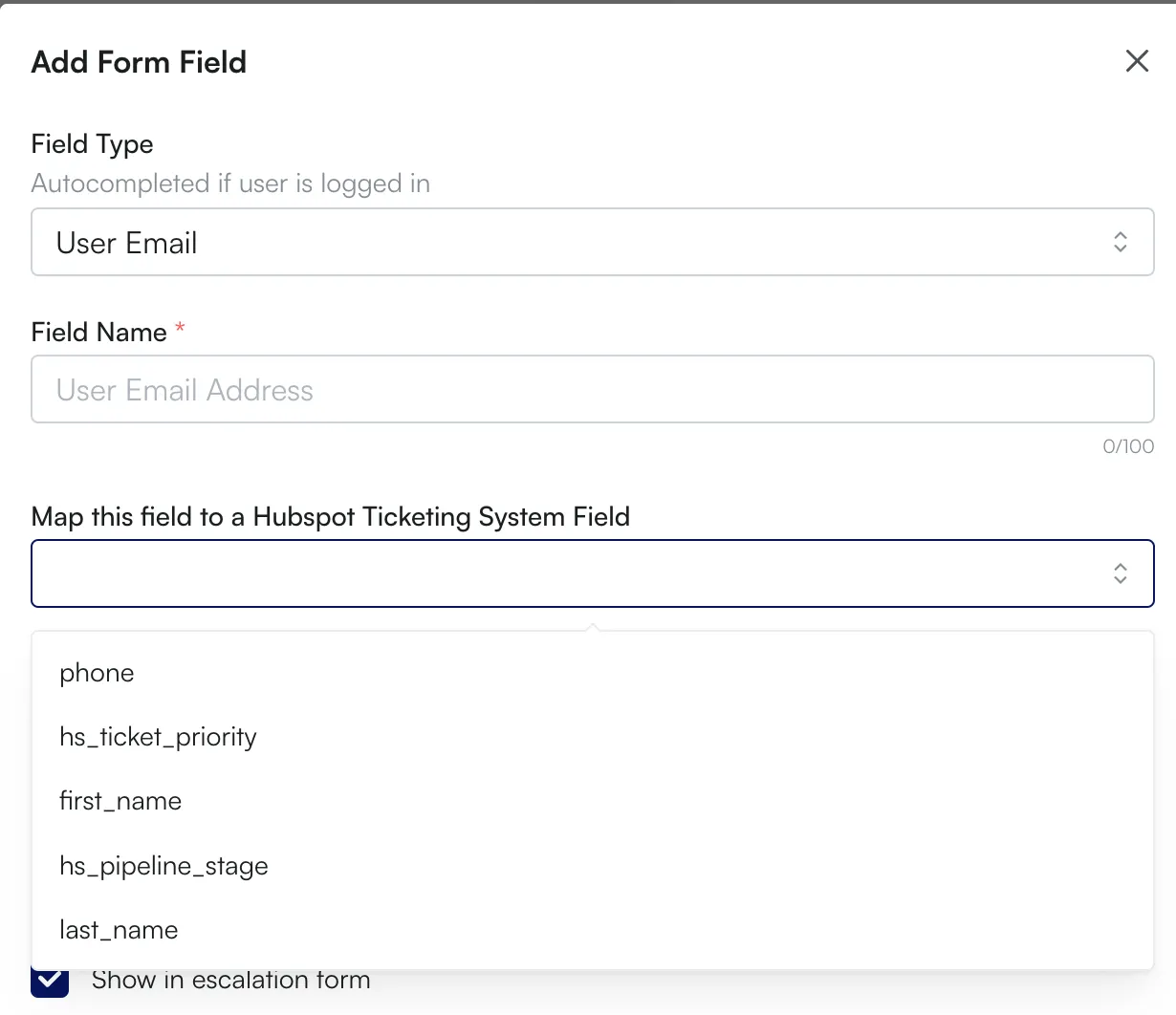
- Navigate to ‘’Add form field’ and map the fields that you would like to feed into the tickets created in HubSpot
Was this page helpful?
Still stuck?
Ask the LearnWise assistant. It answers from these guides.
Related guides
- How can I integrate a ticketing system?Build your assistant
- How do I integrate Salesforce ticketing system?Build your assistant
- How do I integrate ServiceNow ticketing system?Build your assistant
- How do I create a new Help Desk?Build your assistant
- How do I customize the form fields for the escalation/help desk?Build your assistant